

Perhaps you need a contact form for your website, a sign-up sheet for a Saturday pottery workshop or a job application form that takes a CV as an attachment. There is no shortage of form builders, and at first glance they all seem to do the same job. The differences only appear when someone uploads the first file, the hundredth booking lands or a member asks where their details are actually kept.
The best tool for online forms in 2026 for contact, booking and application forms is the one that answers three questions in your favour: how many entries stay free, whether file uploads and payments are included, and where the data is stored. empirio.ai, a tool from Germany for surveys, forms, quizzes and live polls, keeps data in the EU even on the free plan, while Tally and Google Forms set hardly any response limits.
We lined up six form builders against each other: empirio.ai, Tally, Google Forms, Jotform, Microsoft Forms and Typeform. By the end you will know which one fits your form and at what point it starts to cost money.
📌 The key points at a glance
- empirio.ai offers free forms with file uploads and EU hosting.
- Tally allows unlimited forms and responses for free, under fair use.
- Google Forms is completely free, with no cap on responses.
- Jotform's free plan takes 100 responses a month across five forms.
- Typeform's free plan counts only 10 responses a month in total.
Create a survey for free
With empirio.ai you can create a modern online survey in minutes — with hosting in the EU.
- AI-built survey
- Adjust by drag & drop
- Real-time analysis
What really matters in a form builder
A form builder is software that lets you put a form together online, share it as a link or place it on your website, and collect every entry in one place. Unlike a survey, a form is usually not about opinions but about details: a name, a date, a file, an order. That changes what you should compare.
In practice, six points decide whether a form builder still suits you three months in. Most of them are not on the provider's homepage but tucked away in the small print of the pricing table.
- Response limit: how many entries are free, and does the provider count them per form, per month or across all your forms together?
- File upload: a CV, a photo, a certificate. Does it cost extra, and how large may one file be?
- Date and appointment picker: for bookings and appointment requests it saves you a string of follow-up emails.
- Embedding in your website: a form that sits inside your page gets filled in more often than a link that opens in a new tab. We walk you through the technical side in our guide to embedding on your own website.
- Payments and signatures: if you need them, several tools drop out straight away.
- Data protection: where are the entries stored, and will the provider sign a processor contract? With contact details and job applications this is anything but a side issue.
A form with three clear fields beats a form with fifteen, whichever tool you pick. Every field you leave out makes it more likely that people make it all the way to the submit button.
The 6 best online form builders 2026 in detail
Six tools cover nearly every online form you are likely to need in the UK: empirio.ai, Tally, Google Forms, Jotform, Microsoft Forms and Typeform. The order is not a ranking, it follows the use case.
A word in our own interest: empirio.ai belongs to us. That is why our tool comes first, so nobody finds out in the final paragraph that we have a stake in this. What empirio.ai cannot do is set out just as clearly as what it can.
empirio.ai: create modern online forms with AI, including 100% EU hosting
empirio.ai, a tool from Germany for surveys, forms, quizzes and live polls, handles contact, registration, application and feedback forms. Its strengths in one line: modern design, easy to use, a large free offering, many AI tools, EU hosting. The AI writes the first draft from a short description, and existing PDF or Word forms can be imported rather than typed out again.
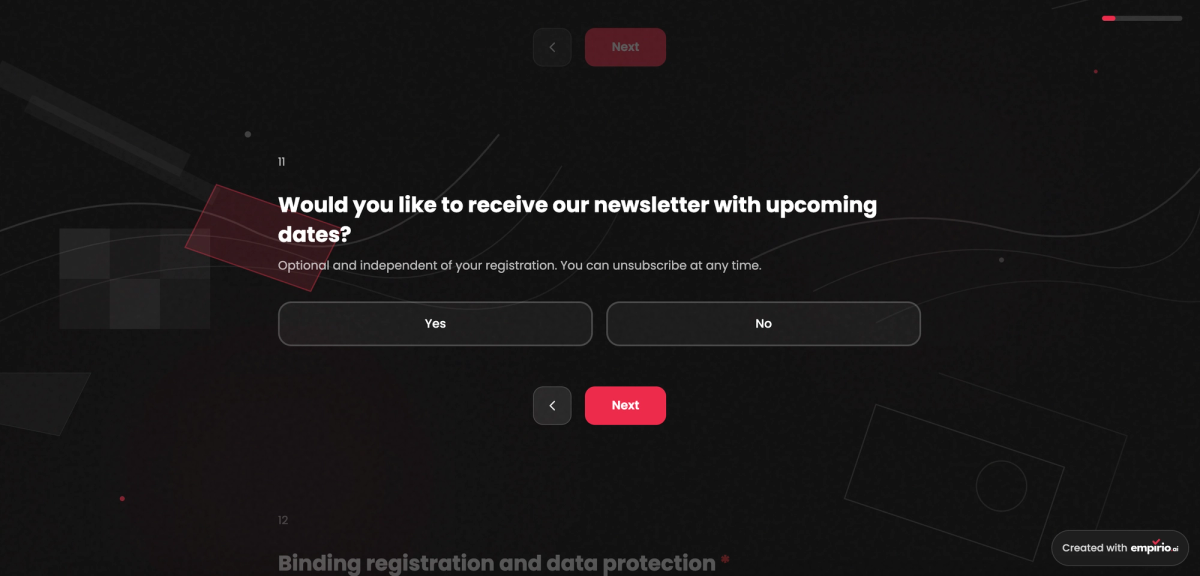
Required fields, conditional follow-up questions, contact fields, choice questions and free text combine freely. New since November 2026 are file uploads and a calendar or appointment picker as answer options, both free. You share the finished form as a link or paste a copied code snippet into your website. Depending on the plan, empirio.ai emails you about new entries and confirms receipt to the person who filled in the form.
On the free plan you collect up to 50 entries a month across as many forms and surveys as you like, and all 100+ templates are free. The prices are: Free, Lite £19, Plus £39, Pro £69 a month (cancellable monthly). Entries sit on servers in the EU, and the AI processes them there as well. The processor contract is already part of the free plan (as of November 2026).
Perfect for: registrations, job applications and contact forms that handle personal data.
Strengths
- The AI helps from the first draft to the finished analysis.
- File upload and appointment picker on the free plan already.
- Existing PDF and Word forms can be imported.
- Servers in the EU and a processor contract from the free plan onwards.
- Every plan stays cancellable monthly.
Limitations
- Free for up to 50 entries a month.
- No way to take payments inside the form.
- Complex logic jumps and export to Excel or CSV only from Lite.
Tally: the generous free plan
Tally is a form tool from Belgium that works like a text document: you type, and every line becomes a field. The free plan allows unlimited forms and responses within its fair use rules. Logic, calculations, file uploads of up to 10 MB per file, signatures and payments are all included without paying.
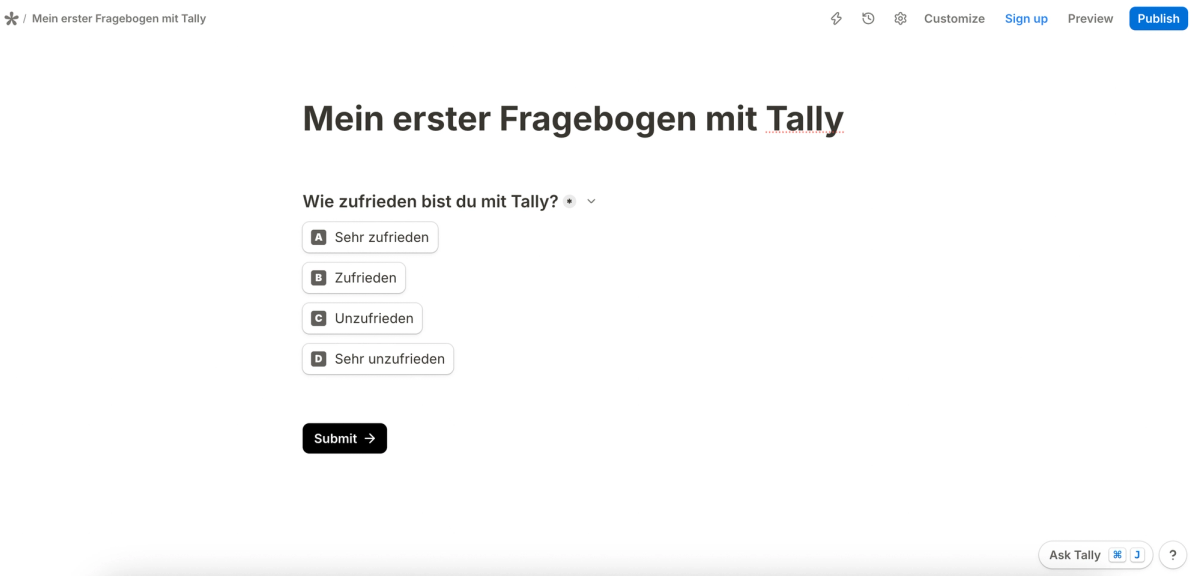
Tally only asks for money once the form should look like yours. The Pro plan removes the Tally branding and adds a custom domain, team collaboration and the capture of partial submissions. Business sits one step above. Both can be paid monthly or more cheaply once a year, and the current amounts are on Tally's pricing page. Tally hosts its data in the EU, and the processor contract comes with every plan, the free one included (as of November 2026).
Perfect for: contact forms, sign-ups, applications and orders on a small budget.
Strengths
- Unlimited forms and responses on the free plan, within fair use.
- Payments, signatures and logic at no cost.
- EU hosting and a processor contract on every plan.
Limitations
- Tally branding can only be removed from Pro.
- Partial submissions and team collaboration only from Pro.
- Free file uploads are capped at 10 MB per file.
Google Forms: free and without a response limit
Google Forms, the free form tool from Google, puts no limit on forms or responses. Entries flow straight into Google Sheets or can be downloaded as a CSV file. If you already work with a Google account, you can have a form online within a couple of minutes.
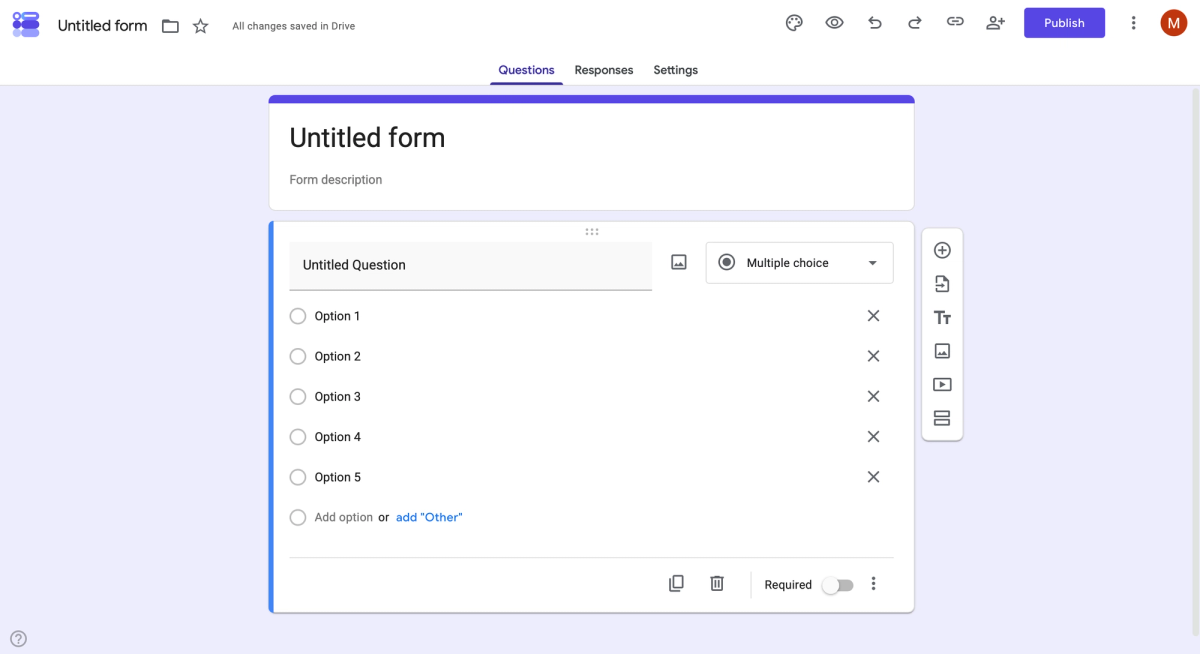
Google Forms reaches its limits as soon as you want more than plain questions. There are no payments and no digital signatures, the design can barely be changed, and multilingual forms are not part of the plan. Branching only jumps to sections and only works with multiple choice and dropdown questions. The processor contract is available only with a paid Workspace plan, not with a personal Google account (as of November 2026).
Perfect for: simple forms without sensitive data, such as the list of who brings what to the village fete.
Strengths
- Completely free, with no cap on responses.
- Responses land straight in Google Sheets.
- Already included in every Google account.
Limitations
- No payments and no digital signatures.
- Hardly any design options and no multilingual forms.
- Processor contract only with a paid Workspace plan.
Jotform: a huge template library, payments and signatures
Jotform is the form builder with the largest template library in this comparison and suits anyone who looks after many different forms. Payments and digital signatures already work on the free Starter plan, each with monthly limits. You set the EU as your storage location in the account settings, and a processor contract is included.
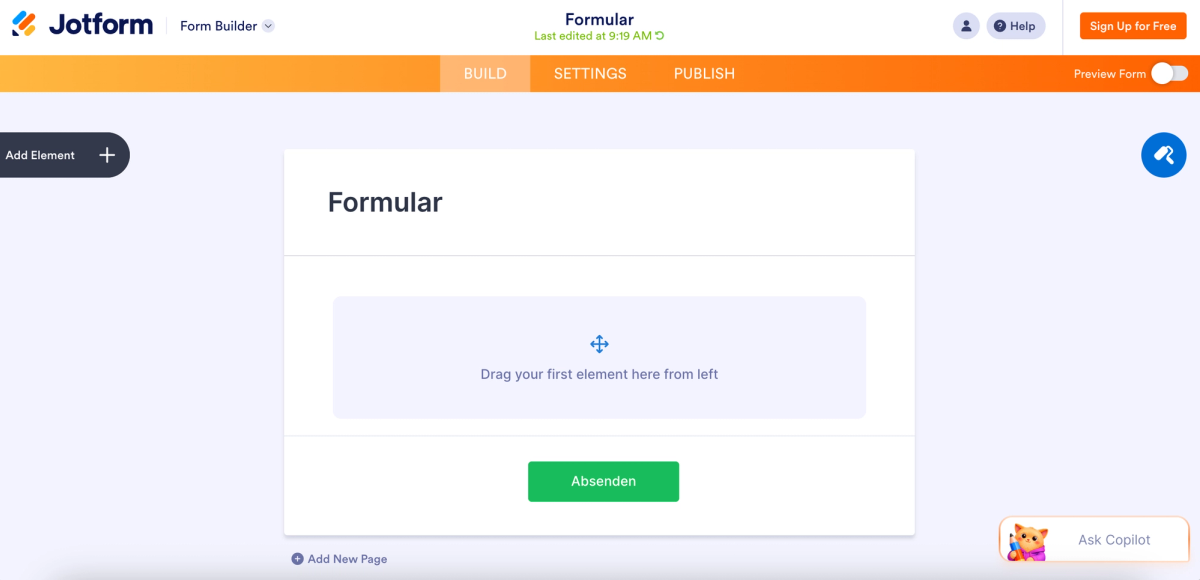
In return, the free plan is tight: five forms, 100 responses a month and 500 stored responses in total, plus the Jotform branding. Jotform bills customers in Europe in euros according to its pricing page, so UK accounts pay in euros rather than pounds. Bronze costs 39 euros a month and brings 25 forms, 1,000 responses a month and one form without branding. Silver is 49 euros and Gold 129 euros. Charities and educational institutions can apply for 50 per cent off Bronze, Silver and Gold, as the Jotform pricing page states (as of November 2026).
Perfect for: charities, schools and businesses with lots of forms, payments or signatures.
Strengths
- A very large choice of templates.
- Payments and signatures on the free plan too, with monthly limits.
- EU storage location selectable in the account, processor contract included.
Limitations
- Only five forms and 100 responses a month for free.
- Just 500 stored responses in total on the free plan.
- Jotform branding on the free plan.
Microsoft Forms: part of the Microsoft 365 package
Microsoft Forms comes with the business and education plans of Microsoft 365, and there is no separate Forms subscription. With a free Microsoft account a form accepts up to 200 responses, with a personal Microsoft 365 subscription up to 1,000. Responses go straight into Excel, and sharing through Teams is easy.
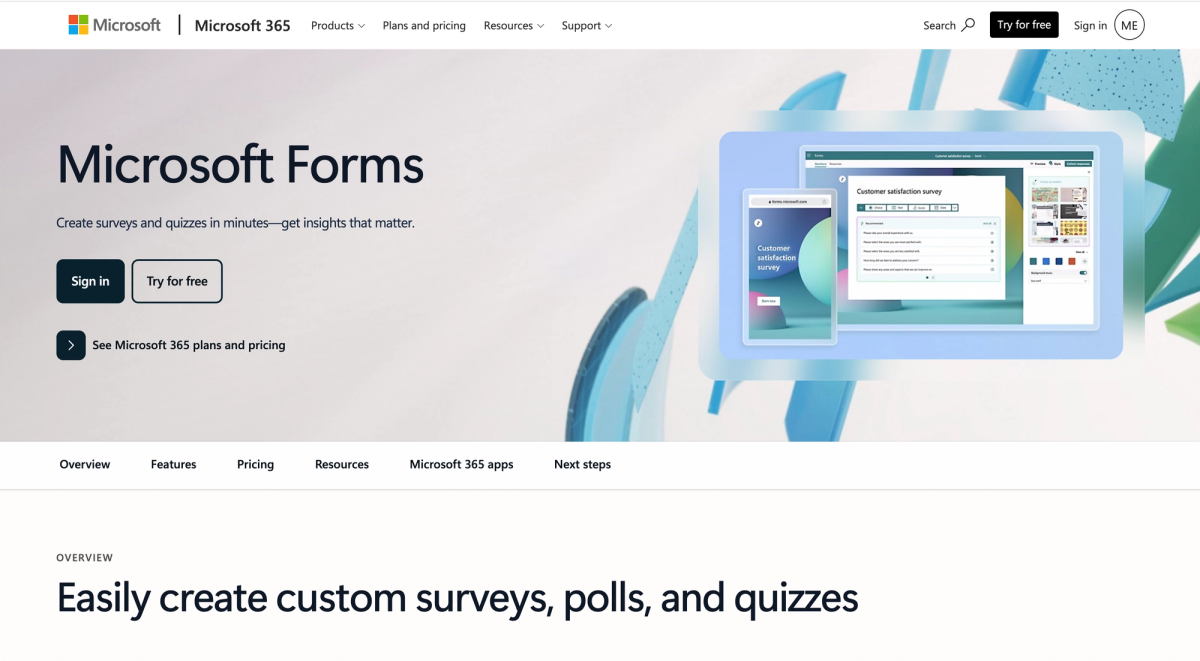
For internal requests within a company this is often the simplest route, because nobody has to roll out a new tool. Branching only jumps forward, though, the design leaves little room, and payments are not on offer. For business accounts registered in the EU the data stays in the EU, and the processor contract is tied to the first commercial Microsoft 365 agreement (as of November 2026).
Perfect for: internal requests and sign-ups in teams that work with Microsoft 365.
Strengths
- Free with a Microsoft account, already included in Microsoft 365.
- Responses go straight into Excel, sharing through Teams.
- EU storage for business accounts registered in the EU.
Limitations
- A maximum of 200 responses per form for free.
- Branching only jumps forward.
- Little room for design, no payments.
Typeform: one question per screen
Typeform is the modern provider from Spain, strong on contact requests and lead funnels. Every question gets its own screen and the layout stays calm, which comes across as more polished to prospects than a long list of fields. AI form creation is free, and so are the connections to Google Sheets and Slack.
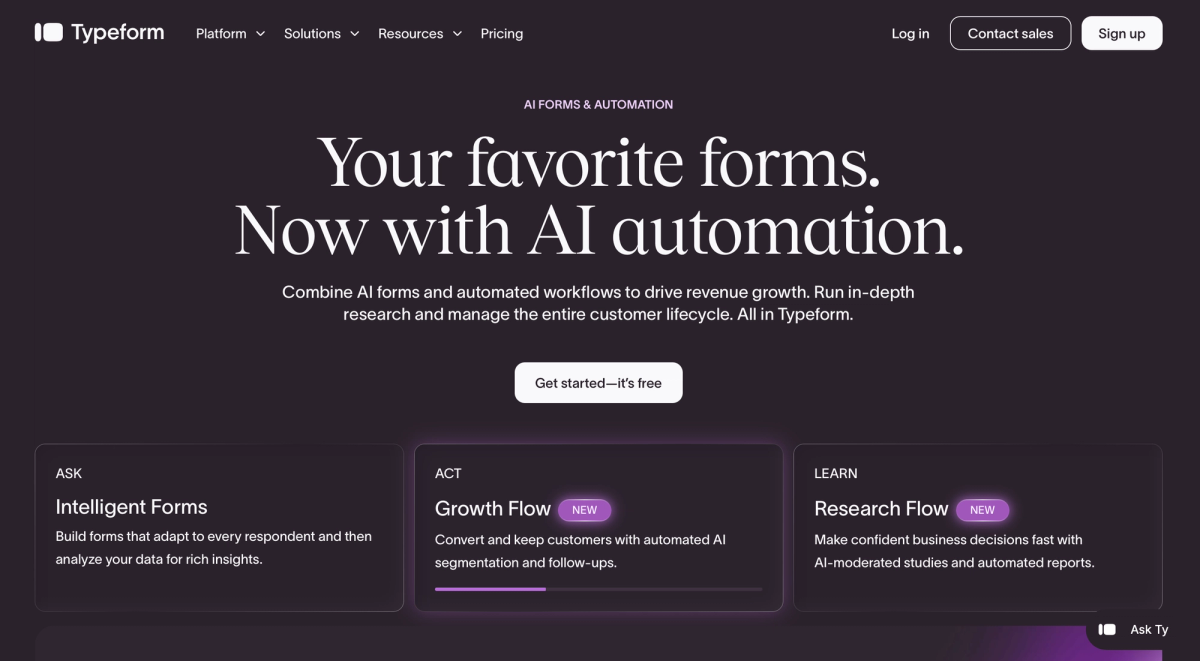
The catch is the allowance. The free plan includes 10 responses a month, counted across all forms together. File uploads only come with a paid plan. Basic costs 35 euros a month with 100 responses and can be topped up to 750. From the 751st response Typeform moves the account to the Plus plan, which starts at around 70 euros and includes three fixed seats. Typeform quotes these prices in euros and says itself that it sometimes shows different prices, so check the amount in your own account. Despite the head office in Barcelona, the data sits on servers in Virginia in the United States (as of November 2026).
Perfect for: marketing teams that collect leads and enquiries with a polished design.
Strengths
- Modern design, one question per screen.
- AI form creation on the free plan already.
- Lots of ready-made integrations.
Limitations
- Only 10 responses a month across all forms for free.
- File uploads only from Basic.
- Main servers in Virginia, no confirmed EU hosting.
Form builders in direct comparison
Two questions are enough for a shortlist: how far does the free plan carry you, and where is the catch? Both answers are in the table, and the finer points depend on your form.
The figures come from the providers' pricing and help pages. Limits change without notice and sometimes vary by country, so it is always worth a glance at the pricing page before you start.
| Tool | Free up to | The main catch |
|---|---|---|
| empirio.ai | 50 entries per month | no payments inside the form |
| Tally | unlimited, within fair use | branding removable only from Pro |
| Google Forms | unlimited responses | processor contract only with a paid Workspace plan |
| Jotform | 100 responses per month | only five forms on the free plan |
| Microsoft Forms | 200 responses per form | branching only jumps forward |
| Typeform | 10 responses per month | file upload only on a paid plan |
As of November 2026, subject to change.
Which form builder suits you?
Which form builder suits you comes down to three things: what has to happen inside the form, how many entries you expect and how sensitive the data is. The table matches the most common situations to a tool.
Pick the row that comes closest to your situation. If two rows fit, go with the one that involves the more sensitive data.
| Your case | What matters then | What that means for the tool |
|---|---|---|
| Job application with CV | file upload and data protection | empirio.ai includes uploads and EU hosting for free |
| Booking for a course or workshop | date picker and confirmation | empirio.ai offers an appointment picker, confirmation depending on the plan |
| Order with payment, such as a school bake sale | payment inside the form | Tally and Jotform take payments on the free plan |
| Contact form on your website | embedding and few fields | All six can be embedded, Typeform charges from response 11 |
| Internal request at work | no extra tool to introduce | Microsoft Forms comes with Microsoft 365 |
| Who brings what to the village fete | free, no sensitive data | Google Forms sets no response limit |
| Lead funnel in marketing | look and completion rate | Typeform is built around exactly these forms |
empirio.ai has ready-made templates for contact, booking and job applications, all of them free. If you are after opinions rather than details, a survey is the better format, and our comparison of the best survey tools will help you choose.
Create a survey for free
With empirio.ai you can create a modern online survey in minutes — with hosting in the EU.
- AI-built survey
- Adjust by drag & drop
- Real-time analysis
Free form builders: where the limits are
Free form builders differ less in their field types than in three limits: how entries are counted, which features sit behind a paid plan and whether the provider's logo stays on the form. The range runs from 10 responses a month at Typeform to no limit at all at Google Forms.
The unit of counting matters, because every provider counts differently. Typeform adds up responses across all forms, Jotform counts per month and also over the lifetime of the account, Microsoft Forms counts per form, and empirio.ai counts per month across all forms and surveys. For a booking form that stays open for several weeks, that is the difference that decides.
File upload and appointment picker in free form builders
For job applications and certificates, the file upload is the most important field of all. empirio.ai and Tally include it for free, with Tally capping free uploads at 10 MB per file. Typeform only unlocks uploads on a paid plan. A date or calendar picker as an answer saves the back and forth by email for bookings, and empirio.ai has offered it in forms for free since November 2026.
Payments and signatures in free form builders
Anyone who wants to collect money through a form ends up with Tally or Jotform. Both handle payments and signatures on the free plan, Jotform with monthly limits. Google Forms, Microsoft Forms and empirio.ai do not take payments inside the form. For a booking with a fee, that leaves two options: use one of those two tools, or put the payment details in the confirmation message.
The provider's logo on free forms
Almost every free plan shows the provider's logo on the form. At Tally it disappears from the Pro plan, at Jotform from Bronze at 39 euros, at Typeform from Plus at around 70 euros, and at empirio.ai from Pro at £69. On an internal form nobody minds, but on your own website it stands out. Weigh up whether that is worth the extra cost, or whether your own logo on the form is enough, which empirio.ai offers from the Plus plan.
Common mistakes when choosing a form builder
Most problems with a form builder do not appear while you set the form up, but weeks later, once it is live on your website. Three mistakes come up again and again.
All three have one thing in common: by the time you notice them, switching is expensive. Entries can be exported, but links, embeds and automations are tied to the old tool and have to be set up again.
Mistake 1: checking the limit in the wrong place
A contact form that gets ten enquiries a month will manage on almost any free plan. A workshop booking that collects 80 entries in one day will not. Before you launch, work out how many entries are realistic in your busiest week, and check whether the provider counts per form, per month or across all forms. Otherwise the form closes exactly when you need it most.
Mistake 2: sorting out data protection after the form is live
A contact form collects names, email addresses and often phone numbers, and a job application form even collects CVs. That is personal data, and under UK GDPR and the Data Protection Act 2018 you will normally need a processor contract with the provider and a privacy notice that matches what you collect. Our guide to data protection for surveys and forms explains what applies. Settle this before the form goes online, not afterwards.
Mistake 3: too many required fields
Every required field is a point where someone gives up. Making phone number, company, job title and salutation mandatory turns a quick enquiry into paperwork. Ask only for what you really need to reply, and pick up the rest in conversation. Conditional follow-up questions help here, because they only show a field when it applies to that person.
Tip
Before launch, fill in your whole form once on your phone, with a real file in the upload field. Then send a second test entry with deliberately wrong details. Within five minutes you will see whether the error messages make sense and whether the notification actually reaches you.
Conclusion
The best online form builder is the one whose limit you only reach after the last entry has come in. If you need file uploads, an appointment picker and data kept in the EU, empirio.ai gets you there for free. If you want to collect payments, take a look at Tally or Jotform.
One point decides things more often in practice than it appears in comparisons. As soon as a form is not purely private but runs for a business, a charity, a school, a university or a practice, the tool provider processes personal data on behalf of that organisation. Under UK GDPR that calls for a written contract with the provider of the tool (Article 28), and the same duty applies in the EU under the GDPR. When such a contract is needed and why it matters is explained by the Information Commissioner's Office (accessed 20 October 2026).
Purely private forms among family and friends are exempt. Whether your specific case falls under the duty is decided by the data protection officer of your organisation, or at university by your supervisor. This article is not legal advice.
Among the six tools in this comparison, this contract separates the providers clearly. empirio.ai, Tally, Jotform and Typeform provide it, and empirio.ai, Tally and Typeform do so on the free plan already. At Google Forms it depends on a paid Workspace plan, at Microsoft Forms on the first commercial Microsoft 365 agreement. On storage, empirio.ai and Tally keep data in the EU, at Jotform you choose the EU in your account, and Typeform stores data on servers in Virginia.
What to read next
- Want the form on your own site? Embedding on your website, step by step
- Looking to move away from Google Forms? Google Forms alternatives compared
- Finding Typeform too pricey? Typeform alternatives
- Testing knowledge rather than collecting details? Quiz tools compared
- Need a quick vote in a meeting? Live polling tools compared
- Handing out your form in person? Sharing it with a QR code
Want your form online within the next ten minutes?
Tell empirio.ai in one sentence what your form should ask, and the AI drafts it for you, file upload and appointment picker included.