

You describe what you want to find out, and Claude hands you a questionnaire seconds later. Nobody can fill it in, though: a language model issues no link, receives no answers and stores nothing.
You create a survey with Claude by adding the empirio.ai connector under Connectors in your settings, signing in once, and then describing in the chat what you want to know. Claude builds the questionnaire in your empirio.ai account and hands the participation link back to you. Every survey made this way also sits in your empirio.ai dashboard, so you can move between chat and tool whenever you like.
📌 The key points
- Claude on its own is not a survey tool.
- The connector is in the directory and included in every plan.
- 16 tools cover creating, editing and analysing.
- Every survey also sits in your empirio.ai dashboard.
- You grant two permissions separately: questionnaire and responses.
Create a survey for free
With empirio.ai you can create a modern online survey in minutes — with hosting in the EU.
- AI-built survey
- Adjust by drag & drop
- Real-time analysis
What Claude can and cannot do with surveys
Claude is a language model, not one of the classic survey tools. Everything before the fieldwork it handles well: drafting questions, picking a scale, narrowing the audience, writing the welcome and closing text. It also interprets existing answers if you paste them in as text or CSV.
The limit arrives at the step from draft to fieldwork. Without a survey tool attached, Claude can neither publish a questionnaire nor receive a response.
What works in the chat with no connection at all
- Drafting questions, rewording them and checking for leading phrasing.
- Suggesting answer scales and labelling the points properly.
- Writing the welcome, the privacy notice and the closing text.
- Summarising and clustering answers you have pasted in.
What needs a connection
- Publishing a working survey with its own link.
- Collecting and storing answers from real participants.
- Showing analyses with filters and cross-tabulations.
- Keeping the data on servers inside the EU.
Put differently: for the questionnaire Claude is a useful co-author. Collecting and analysing happen elsewhere, and that is the gap the connector closes.
Connecting empirio.ai to Claude: step by step
The quickest route runs through the directory in Claude, which brings skills, connectors and plugins together. You search there for empirio.ai and add the entry. No server address to type in any more.
Setting it up takes a minute or two and needs no technical background. All you need is a free empirio.ai account.
- Create an account. Sign up for free at empirio.ai.
- Open your connectors. In Claude, go to Customize and from there to your connectors.
- Search for empirio.ai. Type „empirio.ai" into the search box and pick the entry.
- Connect. Claude takes you to the empirio.ai sign-in once.
- Confirm. Allow Claude to access empirio.ai and confirm the connection. That is it.
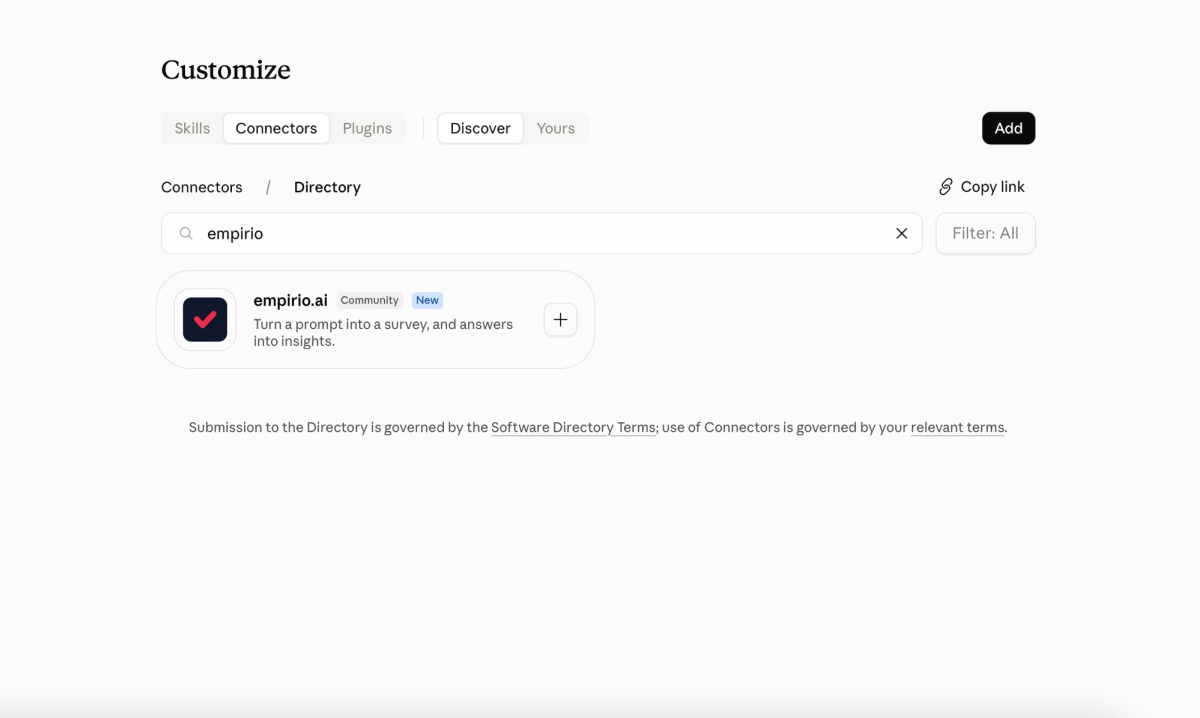
From then on empirio.ai appears in your connector list as its own entry. For a single conversation you can switch it on or off there. How the directory works in general is set out in Anthropic's help page on the directory for skills, connectors and plugins.
The manual route through the MCP server still works
Anyone who set empirio.ai up as a custom connector with the address https://platform.empirio.ai/mcp before the listing existed needs to change nothing. That connection carries on, and for other AI clients the manual route remains usual. For Claude, connecting through your connectors is simply the easier path. Both routes run through the same empirio.ai MCP server, which also lets you create surveys with ChatGPT.
💡 Tip
Start with a test survey you do not publish. Your dashboard then shows how Claude turned your instruction into a questionnaire, and you will spot quickly where your prompt needs to be sharper.
Creating a survey: from prompt to participation link
Once the connection is in place, you describe your plan in the chat. The more specific the prompt, the less there is to fix afterwards. Name the goal, the audience, the length and the language.
A workable opening sounds something like this: „Create an anonymous staff survey with eight questions about collaboration in the team, on a scale of 1 to 5, plus one open closing question. It should take under three minutes to complete."
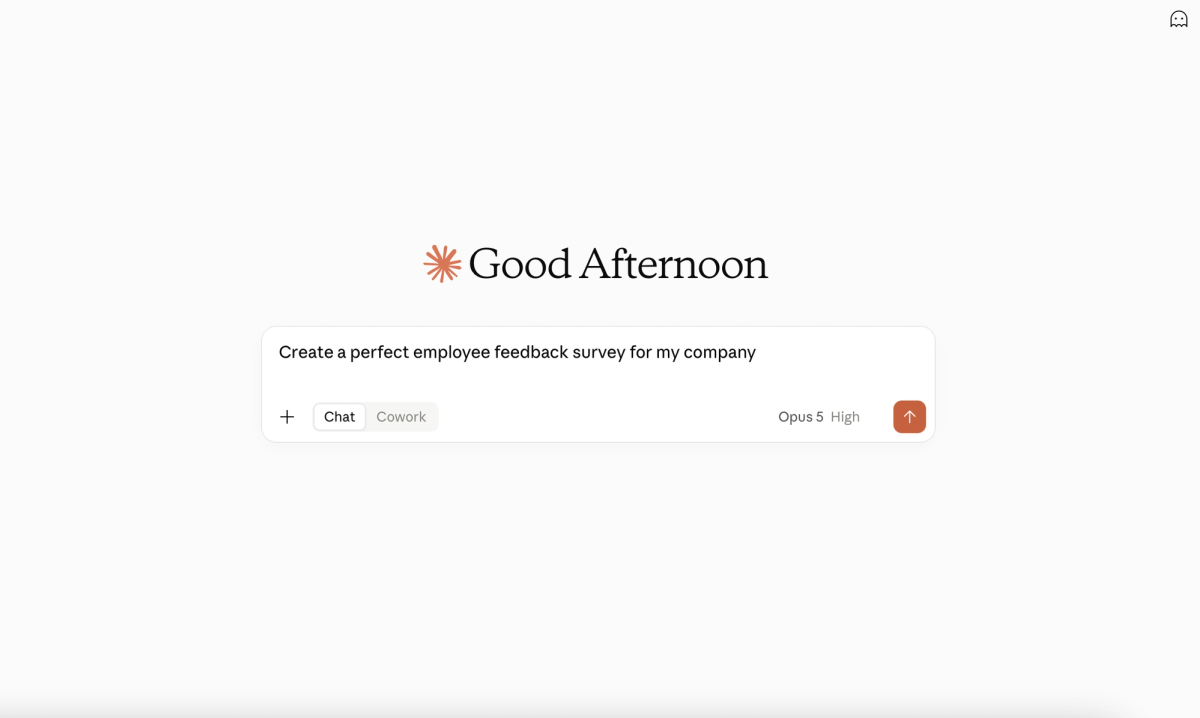
Claude drafts the questionnaire, creates it in your empirio.ai account and reports back on what it produced. As a rule the survey lands as an unpublished draft first, so you can check it before it goes out.
At the end you get two addresses: a preview link that works straight away, and the participation link, which only goes live once the survey is published. Send it too early and you are distributing an address that leads nowhere.
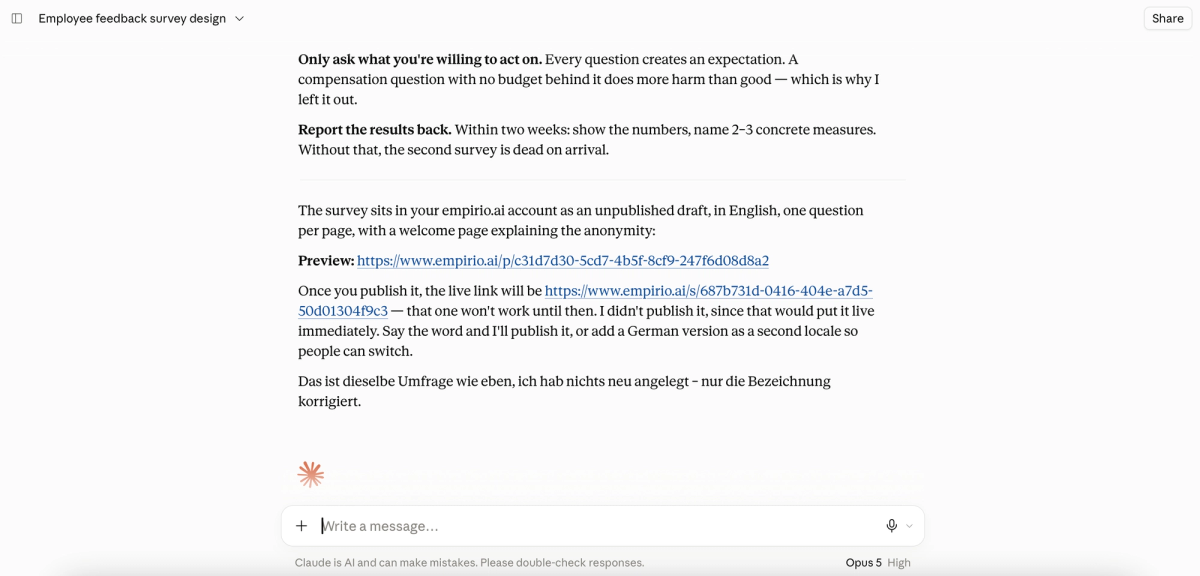
To publish, a sentence like „Publish the survey" is enough. Only then does the participation link work, and you can share it by email, messenger or QR code. To reuse an existing survey as a starting point, say „Duplicate survey X and change the title"; ready-made survey templates are also available directly at empirio.ai.
Editing and improving a survey
Changes work like creation: you describe them, Claude carries them out in the real tool. Without a connection you would transfer every correction by hand afterwards.
Improving is where a language model earns its keep. Claude reads the questionnaire from your account, finds ambiguous phrasing, leading questions and unlabelled scales, and offers alternatives. What gets adopted is your call.
Three phrasings cover most cases, and you can use them word for word.
- Swap a question: „Replace question 3 with an NPS question and make the survey anonymous."
- Ask for a review: „Check the questionnaire for leading questions and overlong scales, and give me concrete alternatives."
- Undo: „Discard my changes and restore the last published version."
Being able to undo changes is the brake this way of working would otherwise lack. While a survey is running, you work on a draft you can throw away without touching the live fieldwork. To close a survey temporarily, „Take the survey offline" will do.
When it pays to switch to the tool
The chat is strong at wording, the editor is strong at visualising. You drag questions into the right order in empirio.ai, and the preview shows you immediately how the survey will look to your participants.
The difference is sharpest with design. Logo, colours and images can be set from the chat too, but whether the combination actually looks good is decided by the eye, not by the prompt. Every survey Claude creates sits in your empirio.ai dashboard anyway. So you pop over, move two questions, check the design and go back to the chat. That back and forth is the whole point of the connection.
⚠️ Careful
Claude has very broad general knowledge but is not a specialist tool for questionnaire design. Read every generated questionnaire through yourself before you publish it. Pay particular attention to whether each question type suits its question.
Create a survey for free
With empirio.ai you can create a modern online survey in minutes — with hosting in the EU.
- AI-built survey
- Adjust by drag & drop
- Real-time analysis
Analysing results with Claude
When analysing, Claude pulls the data straight from your empirio.ai account instead of you exporting a table and pasting it in. That saves handling and keeps raw data out of the chat history.
The starting point is usually a status question, then it gets specific: how many have answered, where the outliers sit, what the open answers say.
| Task | Example prompt | Tool behind it |
|---|---|---|
| Overview | „How many participants does survey X have so far?" | responses_survey_stats |
| Summary | „Summarise the results in five sentences." | responses_aggregates |
| Cross-tabulation | „Cross-tabulate satisfaction against department." | responses_crosstab |
| Individual answers | „Show me the last ten open answers." | responses_list |
| Export | „Export the charts as PowerPoint." | responses_export_charts |
Correct as of September 2026, subject to change.
In total the connector brings 16 tools: 9 for the survey itself and 7 for the responses. Which of them your account can use still depends on your plan. The connector unlocks nothing your plan does not include.
Permissions and data protection: what Claude is allowed to see
When you connect, you grant two separate permissions, and the distinction matters more than it first appears. One covers the questionnaire, the other your participants' answers.
The empirio.ai developer documentation describes both in detail. In practice they mean:
- The questionnaire permission allows creating, reading, editing, publishing, unpublishing, duplicating and deleting.
- The response permission allows listing, summarising, cross-tabulating, exporting and deleting.
You can grant the first and withhold the second. Claude then builds surveys for you without seeing a single answer. Both permissions can be granted or withdrawn individually at any time. If one is missing, the connector stops cleanly and names the permission you need to add.
What applies in the UK
Since Brexit the rules for British organisations come from the UK GDPR together with the Data Protection Act 2018, amended by the Data (Use and Access) Act 2025. The regulator is the Information Commissioner's Office rather than an EU authority.
That changes how EU hosting is classified. Storing personal information on servers inside the EU counts as a restricted transfer out of the UK. It is nevertheless straightforward, because the ICO guidance on adequacy regulations confirms that every country in the European Economic Area has full adequacy. You therefore need no transfer risk assessment, which UK legislation now calls a data protection test, and no international data transfer agreement. As a European survey tool, empirio.ai runs its AI features in the EU as well.
What happens to your own chat input is the second layer and sits outside all of that. It depends on your AI provider: on their rules for training data and data retention, and on whether you can put a data processing agreement in place. Sensitive raw data therefore belongs in your account, not in an open chat history. How to set a survey up as anonymous from the outset is covered in our guide to anonymous surveys, and the legal framework in our guide to data protection in surveys.
Common mistakes and where the limits are
Most difficulties come not from the technology but from the prompt and from expectations set too high. Four cases turn up especially often.
All four take seconds to fix once you know them.
The participation link goes out before publishing
Claude often gives you both links in the same paragraph. The participation link only works once the survey is published. Open the address yourself before it goes to a mailing list.
The prompt names no goal
„Make me a customer satisfaction survey" produces an arbitrary questionnaire. Name the decision you are trying to make instead. „I want to know whether we should change our opening hours" produces far sharper questions.
Too many questions at once
Claude will grant any request, including one for thirty questions. Long questionnaires push completion rates down noticeably. Ask actively for cuts and have Claude justify which question can go.
The connector is not active in the conversation
Claude then replies with a questionnaire in the chat window rather than a link, as though the connection had failed. Usually the connector is simply switched off for that one conversation. Switch it back on and send your prompt again.
Conclusion
With the connector, Claude becomes a survey tool that carries the route from prompt to analysis. The effort has shrunk to two clicks. The people who gain most are those already working in Claude who want to skip the tool switch.
The chat does not replace thinking about the questionnaire. It replaces the copying between two tools.
Where to go next
- Want to know what sits behind the interface? The empirio.ai MCP server
- Prefer working with ChatGPT? Creating surveys with ChatGPT
- Want to build the questionnaire yourself? Creating a questionnaire step by step
- Want the responses processed automatically? Automating surveys with n8n
Want to launch your first survey straight from the chat?
With empirio.ai, an online survey tool from Germany, you set up an account free of charge and connect it in Claude through the connector directory. After that one sentence in the chat is enough, and the finished participation link comes back to you. Head over to empirio.ai.