

Microsoft Forms has a reputation as the tool that costs nothing. That is true and untrue at the same time, because the question about the price is really a question about the licence. Get it wrong and you plan a survey that stops dead after 200 responses.
Microsoft Forms is the survey and form service inside Microsoft 365, it runs in your browser and it carries no price of its own. What you pay for is the licence underneath, and what that licence mainly buys you is a response limit that rises from 200 per form to as much as 5,000,000. We checked Microsoft's pricing and help pages one by one in September 2026.
📌 The key facts
- Microsoft Forms belongs to Microsoft 365 and runs in the browser.
- Forms is included at no extra cost in every common Microsoft 365 plan.
- Microsoft 365 Business Basic costs £5.40 per user per month.
- A free Microsoft account collects 200 responses per form.
- Microsoft 365 Apps for Business does not include Forms.
Create a survey for free
With empirio.ai you can create a modern online survey in minutes — with hosting in the EU.
- AI-built survey
- Adjust by drag & drop
- Real-time analysis
What is Microsoft Forms?
Microsoft Forms is Microsoft's form and survey service. It runs in the browser at forms.cloud.microsoft, and the older address forms.office.com leads to the same service. Forms belongs to the Microsoft 365 family, the same product group as Word, Excel and Teams.
That explains how it is built. Forms is not a market research instrument, it is a tool for everyday office work: ask a quick question, take the result into Excel, share the link in Teams. Anything beyond that Microsoft has deliberately left out.
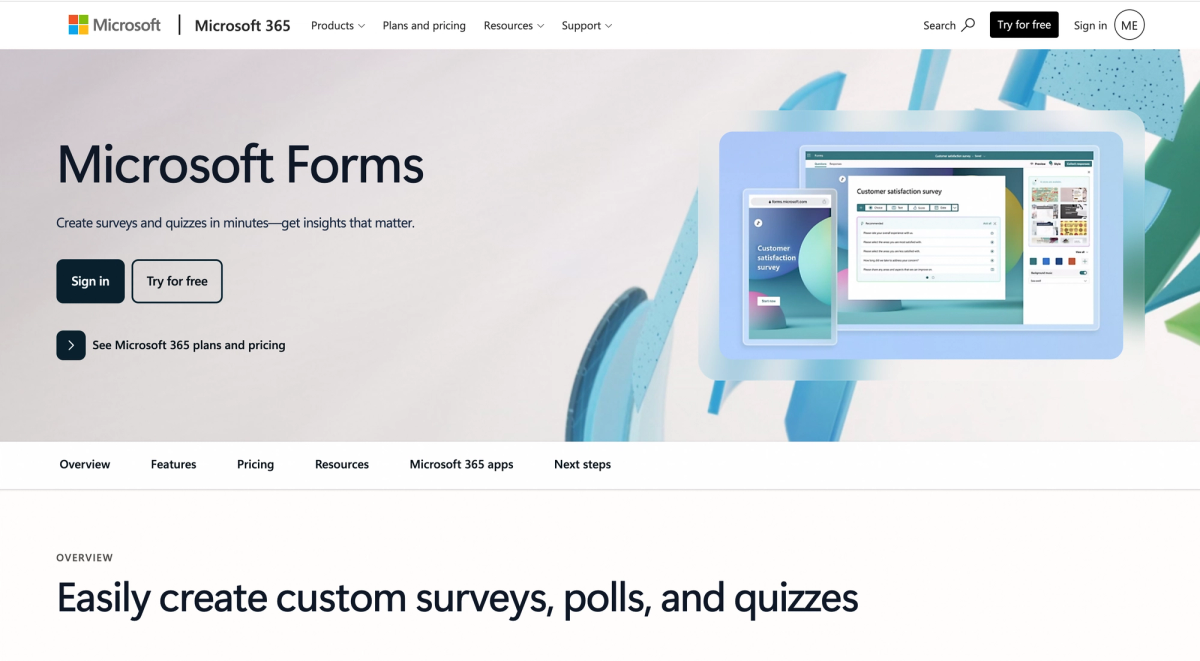
There are two modes: the form for surveys and the quiz mode with points and automatic marking. Both share the same editor, the same eight question types and the same limits.
The eight question types in Microsoft Forms
Microsoft Forms offers eight question types: choice, text, rating, date, ranking, Likert, file upload and Net Promoter Score. Microsoft names no figure for this in its own documentation, the eight come from the list in the editor. For an employee survey or a short piece of customer feedback that set is usually enough.
One quirk is worth knowing: in a Likert question every single statement counts as a question of its own. Two statements on the same scale therefore use up two of the 200 questions available, not one (as at September 2026).
How many forms, questions and responses Microsoft Forms allows
An account may create up to 400 forms, the recycle bin included, plus a further 400 polls from Teams, Outlook and PowerPoint since January 2021. A single form holds up to 200 questions of 4,000 characters each, and the title may run to 90 characters. The real sticking point is the number of responses per form, and that depends on the type of account.
| Account | Responses per form |
|---|---|
| Free Microsoft account | 200 |
| Paid personal account (Microsoft 365 Personal or Family) | 1,000 |
| Work or school account | 5,000,000 |
As at 15 September 2026, checked in Microsoft's help page on the Forms limits.
The limits follow from that design as an on-board tool. The editor offers sections as its structural element and branching that only jumps forward. Anyone coming from market research will miss quota control, panel connections and freely designed layouts. Anyone coming from everyday office work will miss little, because the job is a different one. This is the point where Microsoft Forms turns out to be either a good tool or a stopgap.
Using Microsoft Forms: from the first question to the results
A survey in Microsoft Forms is ready in minutes, because the editor asks you for very few decisions. You sign in with your Microsoft account, create a new form, add one question after another and release the link at the end.
The sequence is almost the same on a personal account and on a work account. Only the sharing settings differ: a work or school account additionally offers to restrict responses to your own organisation.
- Create the form and give it a title, 90 characters at most.
- Add questions and decide for each one whether it is required.
- Add sections once the form runs longer than one screen.
- Set branching if not everyone should see the same questions.
- Pick the design: template, background image or a hex colour.
- Share by link, QR code, email, Teams or embed code.
- Read the responses in the summary or export them to Excel.
How to analyse the responses from Microsoft Forms
Microsoft Forms shows the results as a live summary, with the response count, the average completion time and a chart per question. Free text gets a word cloud. Everything beyond that happens in Excel: the workbook sits in OneDrive or SharePoint and refreshes through a live data connection as new responses come in. Cross-tabulation, filters and a drop-off rate are not part of Forms.
Tip
The setting “one response per person” looks more reliable than it is. Microsoft states that it only enforces the rule within a continuous set of 50,000 responses. For larger studies a personal invitation per respondent carries further than this switch.
What does Microsoft Forms really cost?
Microsoft does not sell Forms on its own. There is no Forms plan, no price list and no add-on to book. What you pay for is the Microsoft 365 licence, and Forms sits inside it.
That splits the cost question into two cases: access through a free Microsoft account and access through a paid licence.
The free route into Microsoft Forms
With a free Microsoft account, meaning an Outlook, Hotmail or Live address, Forms can be used without paying. That access is capped at 200 responses per form, and three features are missing: the file upload question type, collaboration on a form, and recording respondents' names. For a small poll that is enough; for an employee survey it rarely is.
The Microsoft 365 plans that include Forms
Forms is included in the common business plans. The prices below are per user per month on an annual plan.
| Microsoft 365 plan | Price per user per month |
|---|---|
| Business Basic | £5.40 |
| Business Standard | £10.80 |
| Business Premium | £16.90 |
| Office 365 A1 for Education | free for eligible institutions |
As at September 2026, prices per user per month on an annual plan and before VAT, according to the UK Microsoft product pages, subject to change.
The small print about the term matters as much as the table. Without an annual commitment the business plans cost roughly 20 per cent more. Forms is also included in the large enterprise plans, Microsoft 365 E3 and E5, and for private users in Microsoft 365 Personal and Family.
Watch out
One plan sounds like Office and still leaves Forms out: Microsoft 365 Apps for Business does not include Forms, according to Microsoft's own comparison page. If you need Forms, Business Basic is the cheapest plan that carries it.
The advantages of Microsoft Forms
Almost all the strengths of Forms come down to the same point: it is already there. If you work with Microsoft 365 you need no approval, no procurement and no additional sign-up.
What Microsoft Forms actually saves you at work
- Included at no extra cost in every common Microsoft 365 plan.
- Results land in Excel through a live data connection.
- Sharing works by link, QR code, email, Teams and embed code.
- The editor takes a quarter of an hour to understand.
- The interface speaks more than 80 languages.
The live data connection is the point that is easily underrated. The workbook sits in OneDrive or SharePoint and updates itself automatically as new responses come in. If you were going to create the analysis in Excel anyway, that saves you every manual export. No other free tool meshes this closely with an existing office environment.
Create a survey for free
With empirio.ai you can create a modern online survey in minutes — with hosting in the EU.
- AI-built survey
- Adjust by drag & drop
- Real-time analysis
The second underrated point is how familiar it is to the people you are asking. In an organisation running Microsoft 365 the link looks familiar, signing in goes through the account everyone already uses, and the questionnaire can be posted straight into a Teams channel. That lowers the barrier to the first response. For internal surveys this often counts for more than any feature in the editor, because the finest branching logic is worth nothing if nobody opens the form.
The drawbacks of Microsoft Forms
The weaknesses are the flip side of the same design. Forms is a built-in utility, not a survey tool, and you notice it in five places.
Where Microsoft Forms runs into its limits
- Branching logic only ever jumps forwards, never back.
- A free account collects only 200 responses per form.
- From 50,000 responses, charts and the individual response view disappear.
- File upload and collaboration are missing on a personal account.
- Design is limited to a theme, a background and a logo.
The logic as the biggest restriction
The branching is built more finely than you would expect: it targets a single question, not just a whole section. The limit lies in the direction. Microsoft states in its own help that you can only branch to a following question, not to a preceding one. Any questionnaire that needs a loop, for example a follow-up for each product mentioned, cannot be created in Forms. You only notice once the questionnaire is already standing.
Design and outward impression
You get design templates, a background image, a background colour and a logo in the header area. Microsoft documents no way to change the typeface, and the form URL stays a Microsoft address. For an internal poll none of that matters. For a customer survey that is meant to match the brand, it does.
Part of the limits in Microsoft Forms can be solved with money and part cannot. The response limit, file upload and collaboration hang on the licence and disappear with a work or school account. The forward-only logic and the narrow design frame remain in every plan. The same goes for analysing large studies: above 50,000 responses per form Microsoft switches off the summary charts, the individual response view, printing and the summary link. The CSV export stays, the analysis inside the tool does not (as at September 2026).
How safe is your data in Microsoft Forms?
Microsoft states that Forms data sits on servers in the United States, with one exception: for organisations whose tenant is based in Europe it sits on European servers. What decides the location is therefore not the product but the account you use Forms through (as at September 2026).
The storage location alone is not enough once a survey stops being purely private. Anyone collecting personal data needs a processor contract with the provider under the UK GDPR. The only carve-out is the survey run in a personal capacity with no business purpose, which the Information Commissioner's Office describes as the domestic-purposes exemption.
When the processor contract with Microsoft comes into force
At Microsoft the data protection addendum forms part of the standard terms and comes into force with the first commercial Microsoft 365 contract, without anyone having to request it separately. That does not apply to free use on a personal Microsoft account, where Microsoft points to the terms of use instead. This is exactly where clubs, practices and small businesses on a free account fall into a gap nobody flags for them.
Running an anonymous survey in Microsoft Forms
Anonymous responses are possible in Forms by switching off the option that records names. Microsoft warns in its own help pages that responses can still be traced back in very small groups or through the timestamps. How to keep a survey genuinely anonymous is covered in Data protection and GDPR in surveys.
Microsoft Forms compared with other survey tools
Set against specialist survey tools, Forms loses on features and design and wins on integration and price. The comparison is most instructive at the free tier, because that is where the biggest differences sit.
A note in our own interest: empirio.ai is ours. That is why our own tool comes with what it cannot do written next to it.
| Tool | Free plan | Paid, per month |
|---|---|---|
| Microsoft Forms | up to 200 responses per survey | included in Microsoft 365 |
| empirio.ai | 50 respondents per month, unlimited questions and surveys | from £19 |
| Google Forms | completely free, no response limit | included in Google Workspace |
| SurveyMonkey | max. 10 questions, around 40 responses per survey | from the cheapest paid plan, which covers 1,000 responses |
As at August 2026, prices for monthly billing according to the providers' own pages. SurveyMonkey publishes its price per country only, which is why no figure is given here; limits can differ by country too.
Google Forms is more generous on the raw response limit, SurveyMonkey offers more logic and analysis, and empirio.ai builds the questionnaire with AI and keeps the data in the EU. The head-to-head between the two built-in utilities is set out in Google Forms vs Microsoft Forms: What Is the Difference?. The full picture of the wider market is in The 5 Best Survey Tools in 2026 Compared.
Who is Microsoft Forms worth it for?
The decision hangs on two questions: do you have Microsoft 365, and does the survey go inwards or outwards?
Those two questions produce three clear cases.
Clearly suitable
Teams and schools with a Microsoft 365 licence surveying internally: feedback after a training session, a quick poll within a project, a knowledge check in quiz mode. Here Forms plays to all its strengths, costs nothing extra, and the analysis is in Excel anyway.
Borderline
Clubs and small businesses without Microsoft 365. A free account gets you a survey up to 200 responses, but without recording names, without file upload and without collaboration. If you only survey once a year you will get through. If you collect data regularly, you end up paying in effort instead of money.
Rather unsuitable
Customer surveys that have to carry a brand, dissertation research with complex routing, and anything that needs more than a handful of languages. With dissertations there is the added point that many universities require the data to stay on servers in the UK or the EU. How to reach enough respondents is covered in How to Find Participants for Your Online Survey.
The common borderline case
The mixed case is the most frequent one: Microsoft 365 is in place, but the survey goes outwards. Technically that works perfectly well as soon as the “Anyone can respond” setting is switched on. The question is then no longer one of features but of presentation. A form under a Microsoft address, without your own typeface and with limited design, suits an internal poll better than a customer survey that is meant to speak for the brand.
Conclusion
Microsoft Forms costs nothing extra if you already have Microsoft 365, and that is exactly where its value lies. The editor is quickly understood, the connection to Excel saves real work, and for internal surveys the feature set is enough. The limits, though, are hard: 200 responses on a free account, logic with no way back, and a design that looks like Microsoft rather than like you.
Where to go next
- Looking for something else? Microsoft Forms Alternative: empirio.ai Compared
- Comparing the whole market? The 5 Best Survey Tools in 2026 Compared
- Checking data protection? Data Protection in Surveys: UK GDPR Rules and Templates
Want to start a survey without the licence question?
With empirio.ai, an online survey tool with servers in the EU, you build the questionnaire with AI support and in a modern design. Try it for free