

You’ve pinned down what your survey should find out and written every question and answer option? What’s still missing is everything around the questions: the text before the first question, the privacy notice, the order of the blocks and the page people see after they hit submit.
A survey is made up of four components in a fixed order: the introduction with a welcome, the purpose and a privacy notice; the main body with your core questions; the demographic questions on age, gender and education; and the closing with a thank-you and contact details. The introduction and the closing are separate pages, not questions.
How to word the questions themselves is covered in our guide to creating a questionnaire. This article looks at the level above that. Our running example is an employee survey on job satisfaction.
📌 The key points at a glance
- The introduction covers the welcome, purpose, length and privacy notice.
- Demographic questions usually go last, screening questions go first.
- Consent and the privacy notice come before the first content question.
- Only ask for personal information in categories.
- Galesic and Bosnjak show that later questions get shorter answers.
- In empirio.ai, the welcome page and the end page are separate pages.
Create a survey for free
With empirio.ai you can create a modern online survey in minutes — free to start.
- AI-built survey
- Adjust by drag & drop
- Real-time analysis
The four components of a survey at a glance
Each of the four components of a survey has exactly one job. The introduction builds trust and asks for permission, the main body delivers the data, the demographics let you break down results by group and the closing says goodbye while leaving the door open for questions.
Leave one out and your survey loses exactly that job. Without an introduction, nobody has a reason to take part. Without demographics, you can’t tell afterward whose opinion you actually measured.
| Component | Job | What goes in it |
|---|---|---|
| Introduction | trust and permission | welcome, purpose, length, privacy notice, consent |
| Main body | the actual data | questions from general to specific |
| Demographics | analysis by group | age, gender, education, job category |
| Closing | saying goodbye | thank-you, note on the results, contact |
In a survey tool, two of these components aren’t questions at all but separate pages. One comes before the questions and one after them. You can switch each of them on or off without touching the questions.
Note
In empirio.ai, you add the welcome page and the end page to your survey as separate pages. Each one has a heading and a text section. You can turn either page on by itself or leave it out entirely. Your questions stay exactly as they are.
Part 1: The introduction with welcome and purpose
The introduction is the text participants read before the first question. After a brief greeting, it answers five questions, in this order:
- Who is asking?
- What’s the topic and why are they asking?
- How long will it take?
- What happens to the answers and is participation voluntary?
- What’s in it for the people taking part?
In the employee survey, that part is quick to write. HR is asking. The reason is that the company wants to know what works well day to day and where things get stuck. It takes about ten minutes. The answers are analyzed anonymously and participation is voluntary. And taking part pays off, because the results are presented to everyone and the next steps are worked out as a team.
The text doesn’t need to be any longer than that. Three to five sentences are plenty. Anything more turns into a wall of text on a phone and costs you starts. The exact wording of your survey welcome message depends on the occasion, since a customer survey, an employee survey, a club or association survey and a thesis project each call for a slightly different tone.
Besides the welcome, two more things belong at the start, depending on the survey:
- Privacy notice and consent: the notice explaining what happens to the data and the consent to process it.
- Background on the survey (if needed): If the topic needs more context, explain what it’s about and how you define key terms before the first question. For example: “This survey is about your workload. By that, we mean how many tasks you have and how much time pressure you’re under to finish them.” You can also give a quick intro to the first set of questions: “The first few questions are about your typical workday.”
That way every respondent has the same information before answering and you get answers you can rely on.
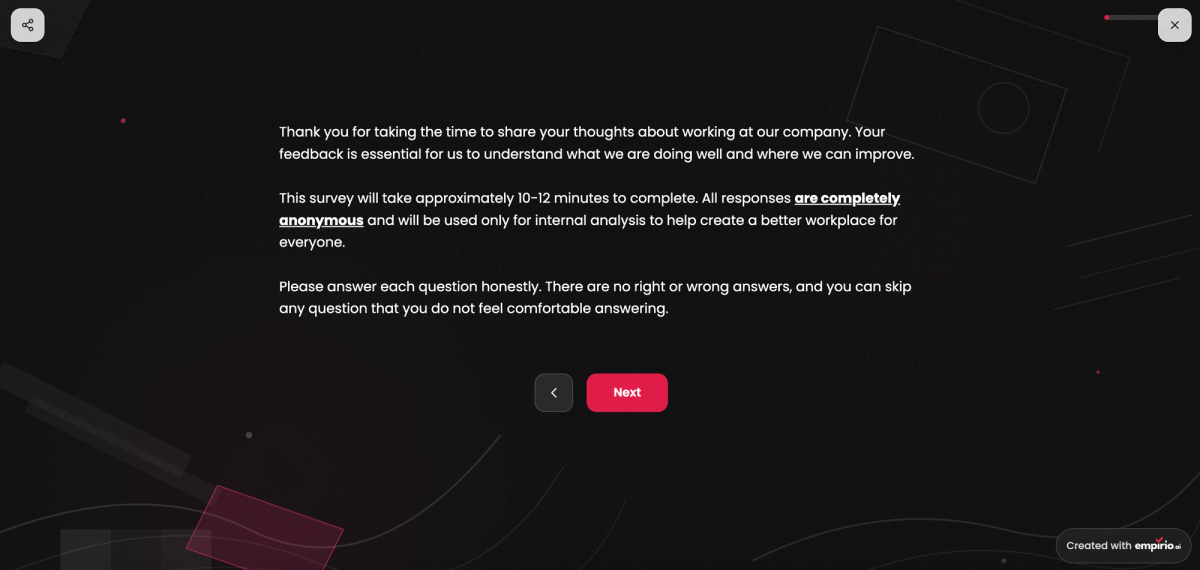
One point gets overlooked all the time: the length you announce is a promise. Say three minutes and take twelve and you’ll lose people halfway through. Half-finished questionnaires are usually useless for analysis.
A special part of the introduction: privacy notice and consent
The privacy notice belongs in the introduction, not at the end. It says who is responsible, what data is collected, how long it’s kept and that taking part is voluntary. Consent is not the same thing as the notice: the notice informs, the consent permits.
Technically, these are two elements on one page: a text section and a checkbox that people have to check themselves. Which legal basis you need in the first place and what the text has to include is covered in our article on data privacy in surveys.
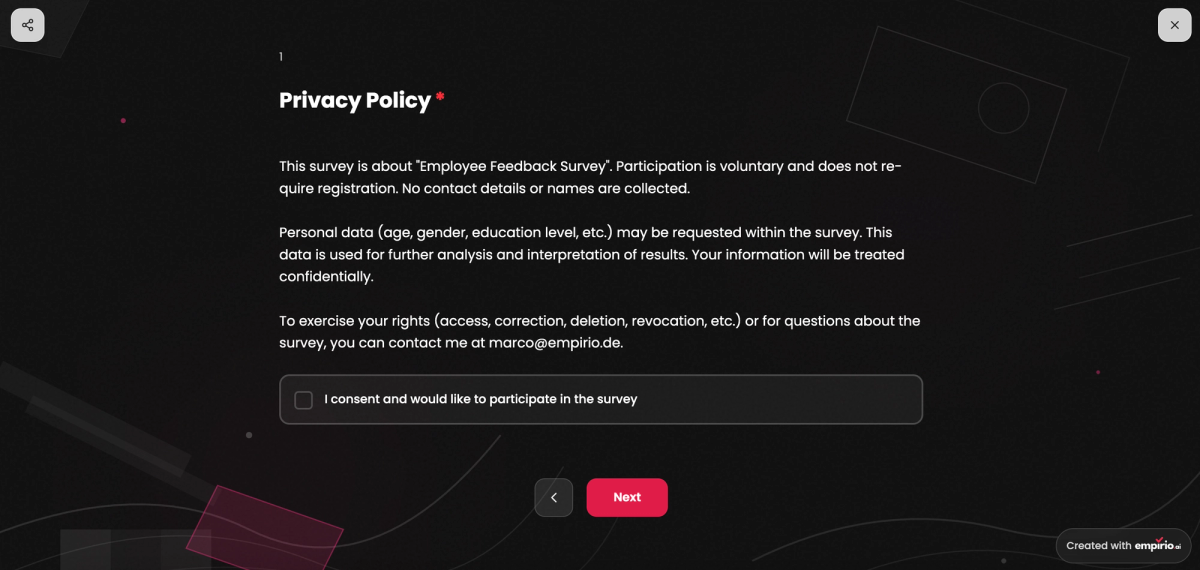
Placement is what matters here. Consent has to come before the first content question. If you only ask for it after question three, those three answers were collected without permission. You can’t fix that after the fact, because permission has to be in place before the data is processed.
For a purely private poll among friends, you can skip both. As soon as a club, a university or a company is asking, both belong in the survey, no matter how small it is.
Note
In empirio.ai, you don’t have to write the privacy notice yourself. There’s a ready-made privacy and consent statement that you add to your survey with one click, complete with a consent checkbox. You can then adjust the text to fit your situation. That way you build a privacy-compliant survey with little effort, in line with the GDPR and US privacy requirements.
What the introduction looks like in a survey tool
In most survey tools, including empirio.ai, the introduction isn’t a single page. You set up a welcome page and can add more pages after it before the first question appears. In practice, the introduction usually looks like this:
- Start page: the survey title, a sentence or two on the purpose and the start button.
- Privacy page: the privacy notice and a consent checkbox, shown before the first content question.
- More details (optional): a separate page with details about the survey, such as length and anonymity, or a short introduction to the first set of questions.
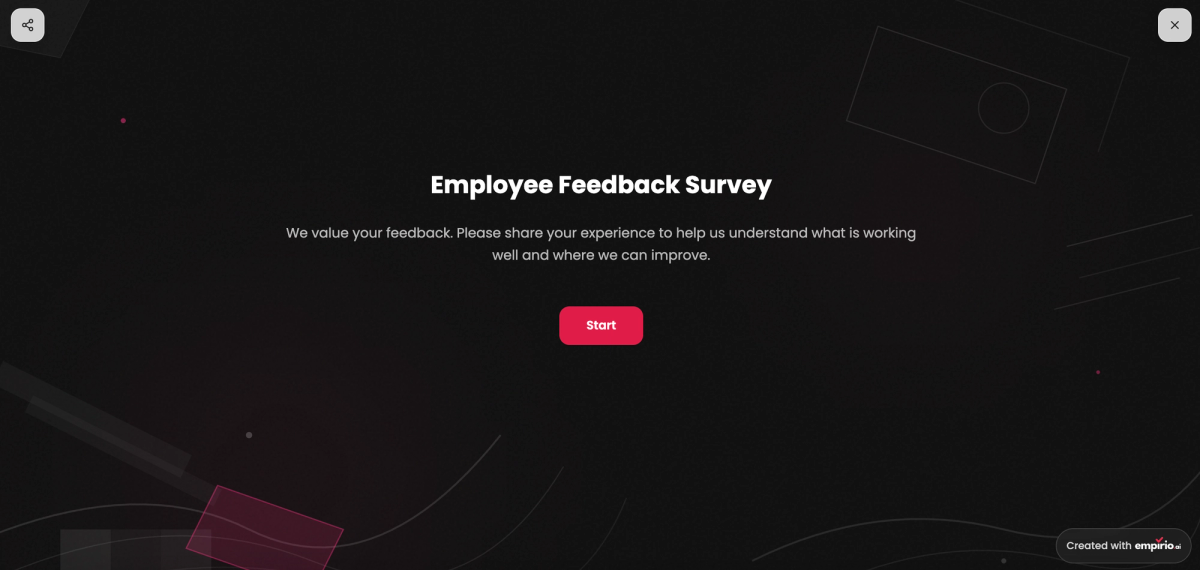
In this example, whoever built the survey chose a standalone start page to get participants oriented. After that comes a standalone privacy page, followed by the first section of questions.
Part 2: The main body with your core questions
The main body holds the questions you actually care about. For their order, one fixed sequence has proven itself:
- Easy, general questions: Open with a question anyone can answer without much thought. More rides on it than its own answer, because anyone who finds it hard will drop out.
- More specific questions: From there, you get more precise step by step. Methods textbooks call this move from general to specific the funnel approach.
- Sensitive questions: Satisfaction with pay, conflicts within the team or health information come late, but not at the very end. By then participants have come a fair way and know the tone of the questionnaire.
That’s why the main body of the employee survey opens by asking how satisfied someone is with their job overall. Questions on workload, teamwork and leadership follow.
Each topic as its own section
Questions on related topics belong together. Jumping from workload to leadership and back to workload forces participants to switch topics with every question. That uses up attention they need for the answer itself.
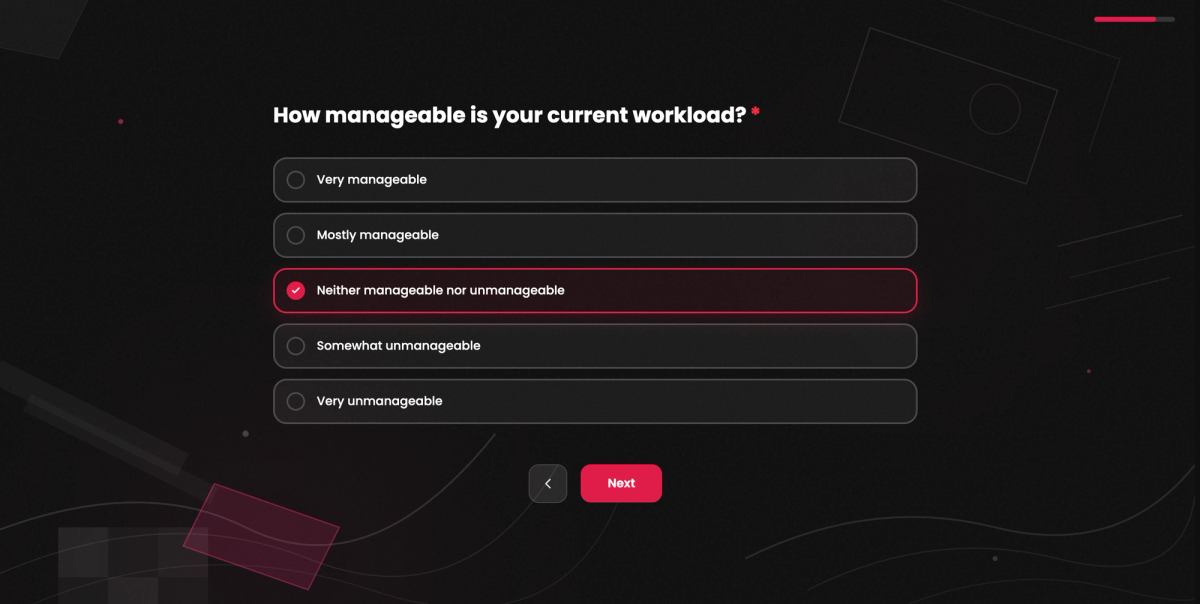
In most survey tools, including empirio.ai, you set up each topic as its own section. At the start of a section there’s room for a sentence or two about what comes next. In the employee survey, it could look like this:
- Topic 1: Day-to-day work
- Question 1: Overall, how satisfied are you with your job?
- Question 2: How manageable is your current workload?
- Question 3: Do you work from home at least part of the time?
- Topic 2: Working from home (only if the answer to question 3 was yes)
- Question 4: How well does coordinating with your team work when you’re at home?
- Question 5: How would you rate your equipment at home?
- Topic 3: Leadership and teamwork
- Question 6: How well supported do you feel by your manager?
Logic: follow-up questions based on earlier answers
With logic, you show questions or entire topics only when an earlier answer makes them relevant. That way you collect more detail exactly where it’s needed and everyone else is spared questions that don’t apply to them. Two typical cases from the employee survey:
- Follow-ups on dissatisfaction: Anyone who says in question 1 that they’re somewhat dissatisfied gets an open question about the reasons. Anyone who’s satisfied never sees it.
- Skipping topics: Anyone who says in question 3 that they don’t work from home jumps straight to topic 3.
We show you how to set up these conditions and jumps in our article on survey logic and branching.
Part 3: The demographic questions
Demographic questions cover characteristics of the person: age, gender, education, job category and sometimes place of residence or household size. They come after the main body because they take hardly any thought. People still answer them reliably when their attention starts to fade.
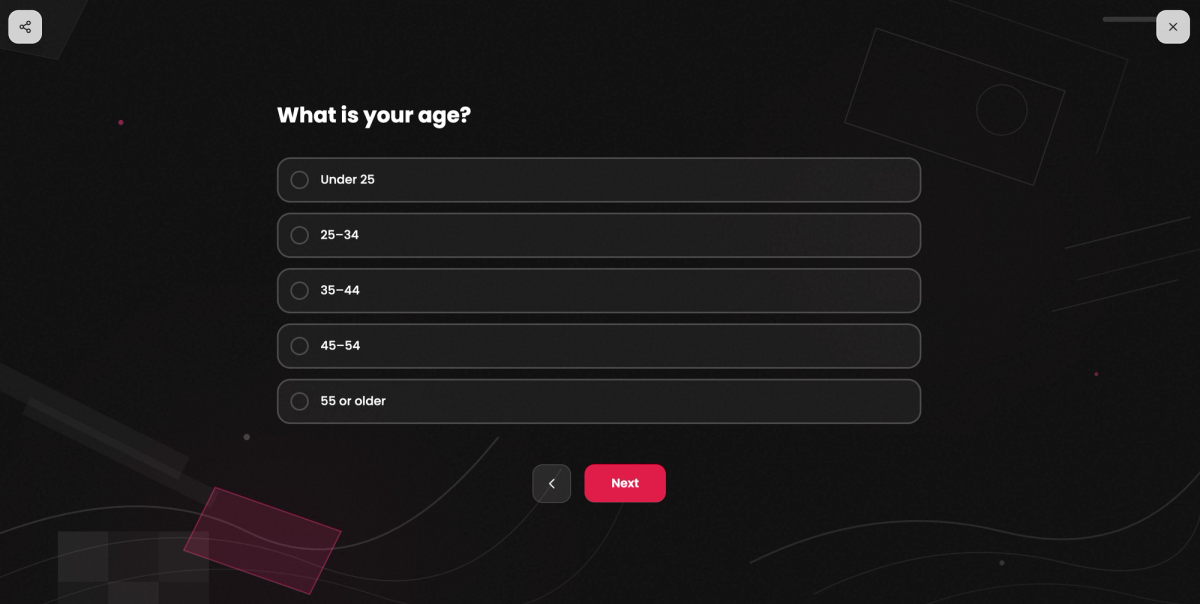
This position isn’t a hard rule, though. The common claim that personal questions at the start scare people off has weaker evidence behind it than it seems. If you need to screen or set quotas by a characteristic, that exact question goes up front. Otherwise people outside your target group fill out the whole questionnaire. We weigh the trade-offs in the section on where to place demographic questions.
Only ask what you’ll actually analyze. There’s no point asking for an exact date of birth if you’ll report in age groups anyway. In a small department, even the combination of age, gender and tenure can make individual people identifiable.
In the employee survey, three items are often enough: department, tenure in ranges and whether someone manages other people. Anything beyond that would be collected with no analysis planned for it. If you push everything to the end, you’ll also lose these answers with every dropout.
Create a survey for free
With empirio.ai you can create a modern online survey in minutes — free to start.
- AI-built survey
- Adjust by drag & drop
- Real-time analysis
Part 4: The closing after the last question
The closing is the page that appears after someone hits submit. It has three jobs: saying thank you, explaining what happens with the results and keeping a channel open for questions. That makes it the last impression your survey leaves.
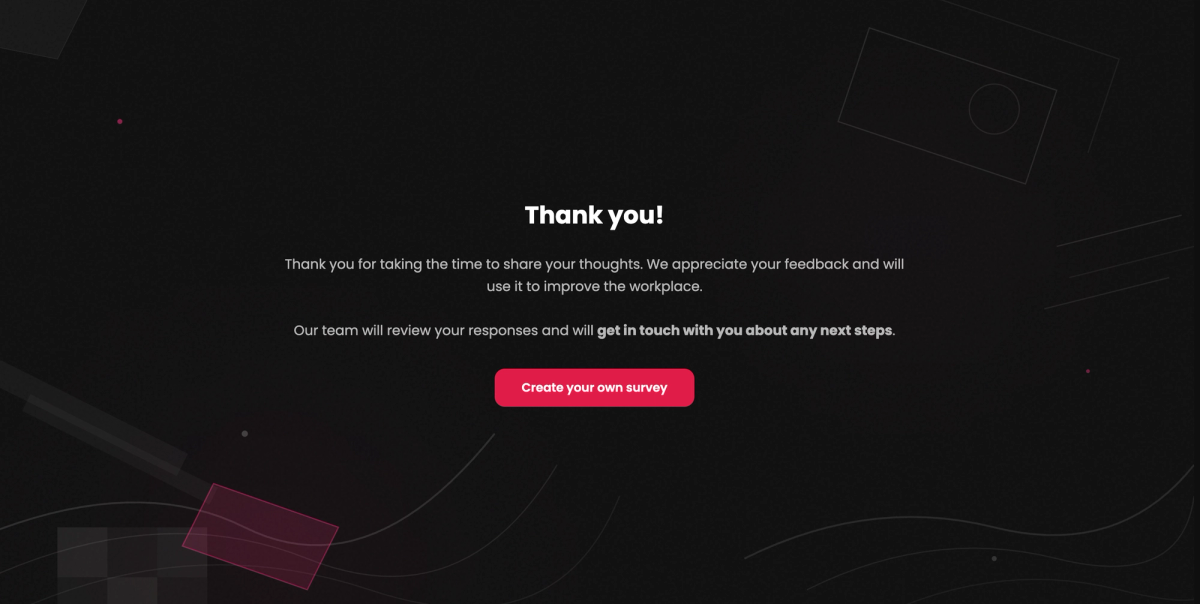
This is exactly what gets underestimated, because by this point the data is already in the system. For your next survey, though, that impression counts. People who felt properly thanked will take part again next time.
This page is also the place for anything that happens after the survey. A prize drawing that requires an email address goes here and not among the questions, because otherwise it breaks the anonymity of the answers. Which wording works and how to keep the thank-you, the note on the results and the drawing clearly apart is covered in our guide to the end of survey message.
In the employee survey, the page has one line of thanks, a note on when the results will be presented inside the company and a contact address for HR.
Tip
Be deliberate about thanking people on your survey tool’s end page instead of on a regular page at the end of the questions. The end page only shows up after the answers have been submitted. If the thank-you already appears on the last page of questions, many people think the survey is done and close the window without clicking “Submit.” Then their response isn’t complete. In empirio.ai, you set up the end page as its own page for this.
Why question order can change your results
The order of the four components isn’t a matter of taste. It measurably changes how people answer. In an experiment, Mirta Galesic and Michael Bosnjak placed the same questions at different points in a questionnaire and compared the answers.
The result: the further back a question sits, the faster, shorter and more uniform the answers become (Galesic and Bosnjak 2009, Public Opinion Quarterly). The same study shows that announcing a longer completion time leads to fewer starts and fewer completed questionnaires.
The practical rule follows directly from this. Whatever matters most to you goes up front. Open questions where you’re hoping for detailed answers come early. Anything that can be answered correctly with half your attention goes toward the back. That’s exactly why the demographic questions sit there.
You’ll often read that difficult questions belong in the middle because attention peaks there. This rule turns up in several older guides without any evidence and it doesn’t fit what Galesic and Bosnjak found.
How to spread the parts of your survey across pages
The four components structure your content. In the survey tool, you decide how many pages that content becomes and whether participants see everything at once or go through it one section at a time. In empirio.ai, you have three options:
- All questions on one page: Participants see the length of the survey at a glance. With many questions, that’s exactly what puts them off.
- One question per page: This feels calm on a phone but also turns twenty questions into twenty page changes.
- Flexible page layout: You group the questions into pages yourself, for example one page per topic.
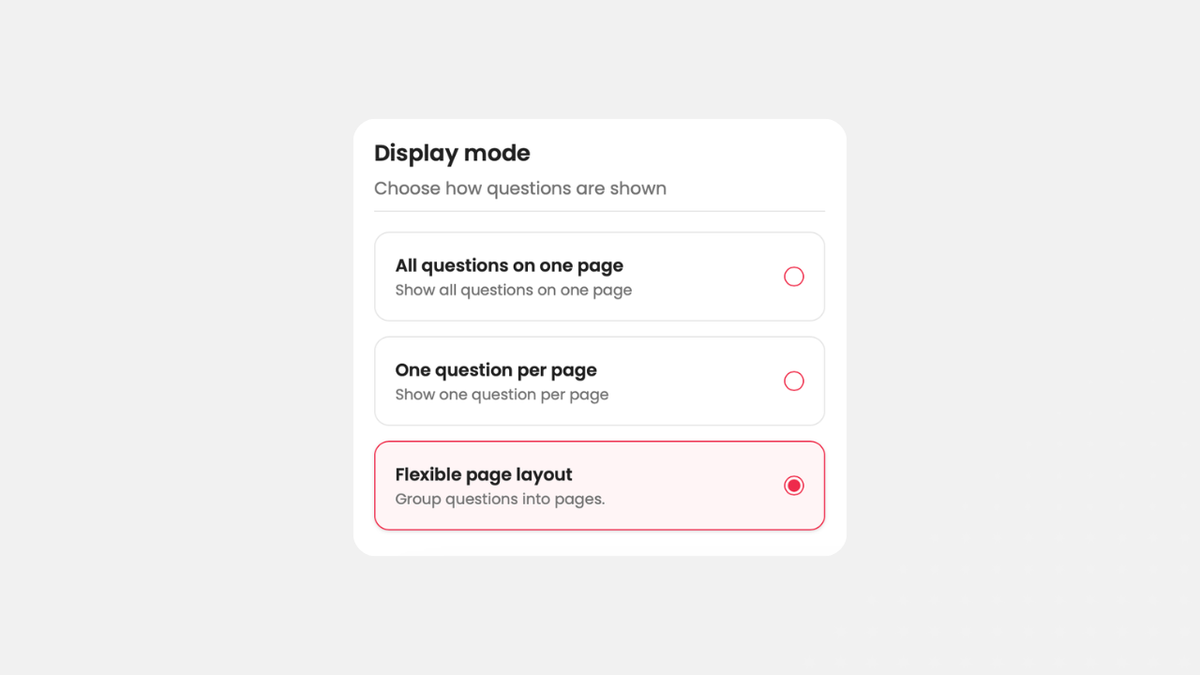
A sensible middle ground is the flexible layout with one page per topic.
Not every block of questions applies to everyone. People who never work from home don’t need to see questions about their equipment at home. You handle cases like this with survey logic and branching instead of showing everyone everything and hoping for a “does not apply.”
The order of the four components stays the same either way. Branches skip blocks, they don’t swap them. A survey where the demographics come first for some people and last for others produces answers you can no longer compare.
Example of a perfectly structured survey
Here’s the full layout of the employee survey we’ve followed throughout this article, page by page:
| Page | What’s on it | Purpose |
|---|---|---|
| Start page | title, two sentences on the purpose, estimated time of about ten minutes, start button | getting people to participate |
| Privacy page | privacy notice and consent checkbox | getting permission before the first question |
| Background (optional) | an overview of the survey’s sections and content, definitions of key terms (for example: “manager” means the team lead, not executive leadership) | putting everyone on the same page |
| Section 1: Day-to-day work | overall satisfaction, workload, working from home yes or no | an easy entry point and a filter for branching |
| Section 2: Working from home | team coordination, equipment at home (only for people who work from home) | details only for the people they apply to |
| Section 3: Leadership and teamwork | support from their manager, open question on what could be better | more specific and sensitive topics once there’s trust |
| Demographics | department, tenure in ranges, whether someone manages people | analysis by group |
| End page | thank-you, date the results will be shared, HR contact | signing off and keeping a channel open for questions |
To keep your survey anonymous, ask for demographic details only in ranges, such as age as “30 to 39,” and never ask for names, email addresses, or anything else that could pinpoint a specific person. The same goes for analysis: only break out a group on its own if doing so doesn’t reveal anything about a particular individual. If there’s just one man under 30 working in IT, for example, don’t report that combination separately, or it’ll be immediately obvious whose answers they are. Learn more in our article on anonymous surveys.
For more examples and ready-to-use questionnaire templates, check out our survey templates section.
Conclusion
The four components of a survey are the introduction, the main body, the demographics and the closing. Their order is not arbitrary. Stick to it and you get permission in time, ask the important questions while attention is high and sign off in a way that makes people want to take part again.
The most effective choice is also the least visible one: putting what matters most first. That way the questions you care about get people’s full attention, while the demographics, which people answer correctly even when half distracted, sit at the end.
Where to go next
- Not sure how to write your privacy notice or whether you even need one? Data privacy in surveys
- Not sure where your demographic questions belong? Demographic questions in surveys
- Want to rework the questions themselves? Create a questionnaire
Don’t want to start from scratch?
Our questionnaire templates come with the introduction, question blocks and closing already in the right order.