

You need a questionnaire and you do not want to start from a blank page. That makes sense, because the time sink is not thinking up the questions. It is the formatting.
A questionnaire template takes exactly that part off your hands. You download a finished sample as a Word file, delete the questions that do not fit your goal, add one or two of your own, and you have a clean questionnaire in half an hour. On this page you get six templates to download plus ready-made samples for online surveys.
📌 Key takeaways
- Six questionnaire templates as Word files, free and without signup.
- The Word files are in German, so use them as a structural blueprint.
- Every template opens in Word, Pages and LibreOffice.
- For online surveys there are ready-made templates inside the tool.
- On paper you retype every answer, online the tool analyzes them for you.
- You always have to adapt the introduction and the tone.
Create a survey for free
With empirio.ai you can create a modern online survey in minutes — with 100% data protection from Germany.
Start for freeWhat our questionnaire templates contain
Every template on this page is a complete questionnaire with an introduction, question blocks sorted by topic, consistent answer scales and a closing section. So you do not have to build anything. You only shorten and adapt.
All the samples follow the same logic, because that is what works in practice: easy questions first, sensitive questions late, open questions right at the end. Ask about salary halfway through and you lose participants. Put the open question at the start and you get one-word answers.
The answer scales are deliberately built the same way across the whole questionnaire. A questionnaire that jumps between five-point and four-point scales is tiring for respondents and makes the later analysis needlessly complicated. Which scale suits which purpose is covered in question types and answer options, and if you want to build the questionnaire from scratch, the method is in the guide on how to create a questionnaire.
💡 Tip
Read the template out loud once before you send it. Questions where you stumble yourself are unclear for respondents too. It takes five minutes and replaces half a pretest.
Online survey or questionnaire download?
The choice between an online survey and a downloaded questionnaire comes down to a single question: who types up the answers afterwards? With a printed questionnaire that is you. With an online survey the tool does it.
Everything else is secondary. Both routes start from the same questionnaire, and both give you usable results. The table shows when each route is the faster one.
| Criterion | Questionnaire download | Online survey |
|---|---|---|
| Preparation | adapt the template and print it | pick a template and share the link |
| Distribution | on site, by mail or as a PDF | by link, QR code or email |
| Data capture | type in every answer by hand | happens automatically |
| Analysis | build the table yourself | charts from the first answer on |
| Best for | small groups and surveys on site | anything from about 20 participants |
In practice the math tips over faster than you would think. Even 30 completed paper forms mean several hours of typing, and mistakes creep in that nobody spots in the results later.
Six questionnaire templates to download
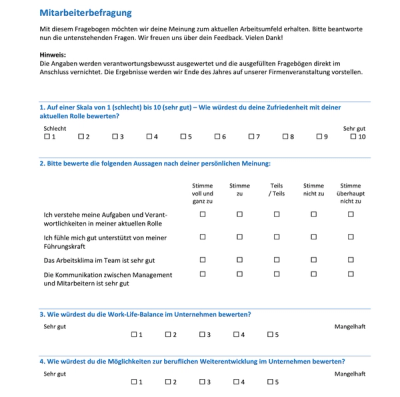
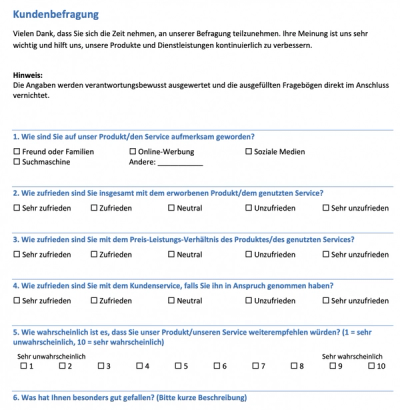
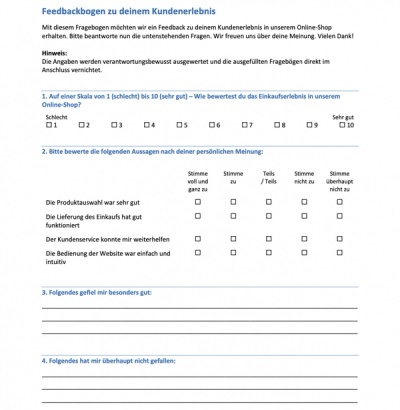
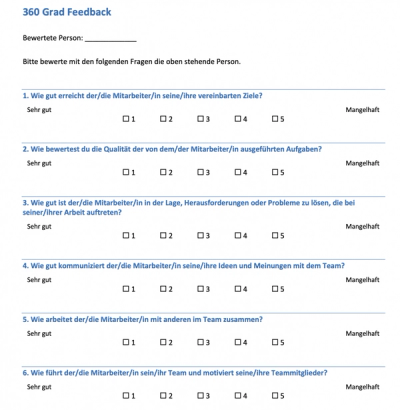
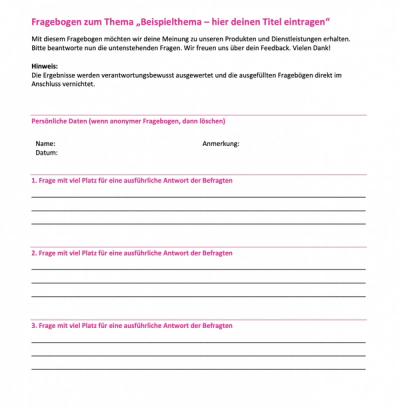
You can download the following six templates as Word files for free and edit them right away. Each one opens in Word, Pages and LibreOffice, and you do not need an account. The files are in German, so treat them as a structural blueprint: the layout, the order of the blocks and the answer scales work in any language.
The files are hosted on Online-Umfrage.org. That is a partner site that belongs to the same company as empirio.ai. Click a preview image or the link below it and the download starts.
 |
 |
 |
 |
 |
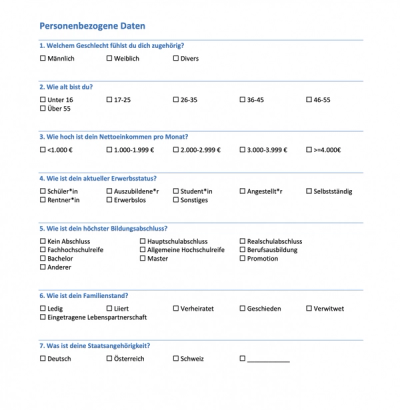 |
The demographic questions are not a questionnaire of their own. They are a building block. You attach them to the end of another questionnaire, because age and gender put people off at the start and bother almost nobody at the end.
⚠️ Careful
Demographic details can cancel out anonymity in small groups. Department plus age plus gender is often enough to trace single answers back to a person in a team of twelve. When in doubt, ask only for what you really need for the analysis.
Create a survey for free
With empirio.ai you can create a modern online survey in minutes — with 100% data protection from Germany.
Start for freeReady-made templates for online surveys
For the digital route you do not need a file. You need a template inside the tool. You pick a sample, adapt the questions and send out a link, and the answers flow straight into the analysis.
If you work in English, this is the better route, because you start right in the tool instead of translating a German Word file first. The advantage shows up at the latest when you start counting. More than 25 ready-made templates for online surveys are available, sorted by purpose:
- Questionnaires for employee surveys
- Samples for customer feedback
- Templates for market research
- Forms for HR and recruiting
- Feedback on events
This is what a finished survey looks like to participants if you click through an example.
What the digital route takes off your hands
- Answers are captured right away, with no retyping.
- Charts are created automatically from the first answer on.
- You never have to touch formatting or layout.
- The questionnaire works just as well on a phone.
- Anonymous participation can be secured technically.
Whether a survey really stays anonymous is not decided by the promise in your cover note but by the setting in the tool, and that is worth a look at the guide to running an anonymous survey.
What you have to adapt in every template
A template is a starting point, not a finished questionnaire. There are three places you have to touch in every sample, otherwise every respondent notices right away that this came off the shelf.
The effort is manageable. Work through the three points and you rarely need more than half an hour, and afterwards you have a questionnaire that fits your own situation.
The introduction is yours to write
Two or three sentences are enough. Why does this survey exist, how long does it take to fill in, and what happens to the answers? Those three pieces of information decide whether somebody starts or clicks away. A template cannot supply them, because it does not know your reason for asking.
The tone has to match your organization
A stiff, formal questionnaire feels alien in a team where everybody uses first names. The other way round is even more awkward. Go through the template once from top to bottom and make the tone consistent, including the answer options and the closing text.
Cutting questions matters more than adding them
The big temptation with a finished template is to leave everything in and pack a bit more on top. Do it the other way round. Delete every question where you cannot say which decision the answer will help you make. A questionnaire with twelve carefully chosen questions beats one with forty.
Conclusion
A questionnaire template does not save you the thinking, but it saves you the formatting, and that is the part that eats the most time. Take the sample that comes closest to your situation, cut boldly and write the introduction yourself. Whether you print in the end or survey online depends on one thing only: who sorts through the answers.
The best template is the one that ended up with half of it deleted.
Where to go next
- Want to build the questionnaire on solid method? How to create a questionnaire properly
- Looking for the right question format? Question types and answers at a glance
- Want to know which tool fits? The best survey tools compared
Rather go digital than retype everything?
With empirio.ai, an online survey tool made in Germany, you move one of these templates into an online survey in a few minutes and get the analysis automatically. Create a survey for free
Frequently asked questions
Create a survey for free
With empirio.ai you can create a modern online survey in minutes — with 100% data protection from Germany.
Start for free