

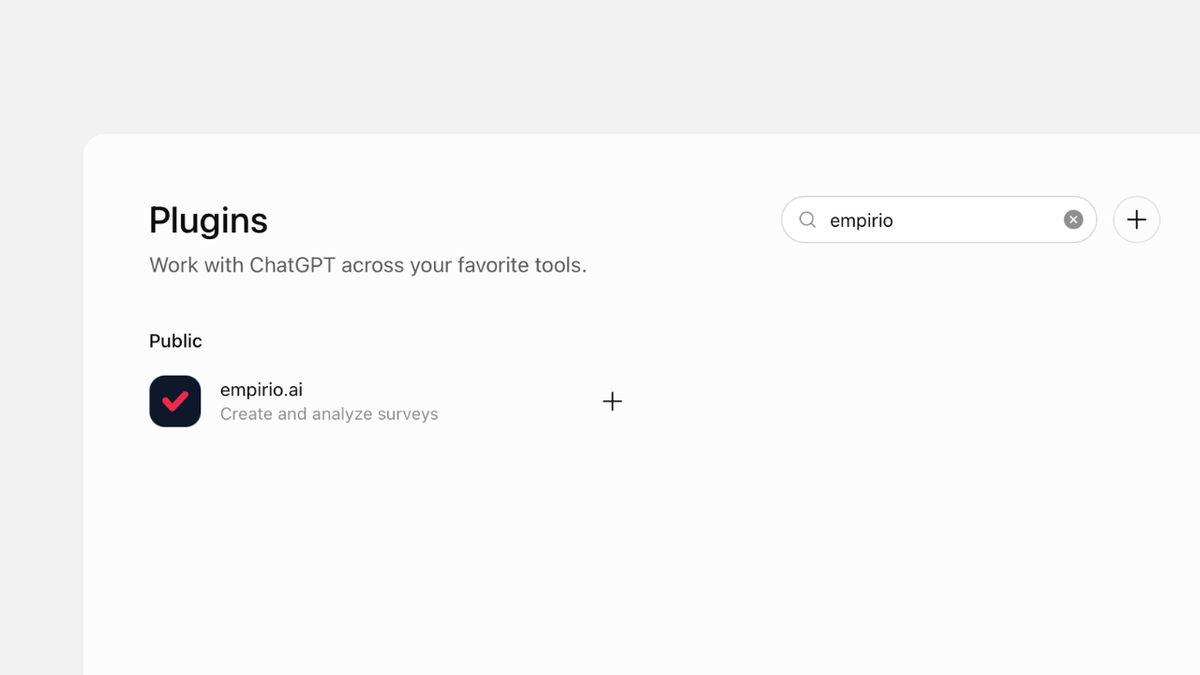
Today we have the next piece of news that we as a team have been especially looking forward to: empirio.ai is now an official plugin in ChatGPT. After Claude, this means you can also connect us to ChatGPT in one click and create, edit and analyse surveys straight from the chat.
This was already possible through our MCP server, but you had to add it by hand in ChatGPT's developer mode. For those of you who have already connected us that way, nothing changes, and that route will stay available. Everyone else can now simply find us under Plugins in ChatGPT, install the plugin and connect their account. After that, a sentence like ‘Create a short survey to find a date for our team dinner’ is all it takes, and the survey is waiting in your empirio.ai account.
Create a survey for free
With empirio.ai you can create a modern online survey in minutes — with hosting in the EU.
- AI-built survey
- Adjust by drag & drop
- Real-time analysis
How it works: connecting empirio.ai to ChatGPT
Setting it up takes about two minutes, and you don't need any technical knowledge.
- Open Plugins. In ChatGPT, go to the ‘Plugins’ section.
- Find and install empirio.ai. Search for ‘empirio’, open our listing and select ‘Install plugin’.
- Connect and allow access. Select ‘Connect’, sign in once with your empirio.ai account and confirm that ChatGPT may access it.
In the chat, you then call up the plugin with an @ mention or via the plus button in the input field. In Business, Enterprise and Edu workspaces, whether plugins are allowed depends on your workspace settings.
We walk you through creating, editing and analysing surveys with prompts, step by step, in our guide How to create a survey with ChatGPT.
What the partnership means for you
- You create and change surveys with a single sentence in ChatGPT.
- You query results directly in the chat, without exporting anything.
- You decide whether ChatGPT can see only your questionnaires or your responses as well.
- The plugin is free, like every integration at empirio.ai.
Every survey ChatGPT creates also sits in your empirio.ai dashboard as usual. There you can adjust the order, colours and logo just as you normally would, then carry on in the chat.
Have fun trying it out.
Cheers, Marvin
Co-Founder, empirio.ai