

A team lead in Denver wants to know how morale is holding up three months after the reorg. A senior at a state university in Columbus needs data for her capstone project. A customer who just ordered running shoes online gets asked how the checkout went. Three situations, one tool: the survey.
Survey use cases reach further than most people expect. A survey collects opinions, experiences and feedback from a group of people, whether that group is a company’s workforce, its customers, the members of a nonprofit, the students in a classroom or the participants in a research study, in a way that lets you compare the answers and put a number on them. Below we walk through every use case so you can see what surveys are used for in real life. Plenty of people still underestimate what modern survey tools like empirio.ai make possible.
📌 Key takeaways
- A survey pays off once a single answer is not enough.
- Five groups run surveys: businesses, schools, colleges, individuals, organizations.
- Most common uses: employee surveys, customer surveys, market research, theses, events.
- Each use case has its metric: eNPS, NPS, CSAT or CES.
- empirio.ai offers more than 90 templates for every use case.
Create a survey for free
With empirio.ai you can create a modern online survey in minutes — free to start.
- AI-built survey
- Adjust by drag & drop
- Real-time analysis
Who uses surveys and why
Before you can describe what surveys are used for, you have to ask who creates the survey in the first place. An HR department asks differently than a Little League board, a fifth-grade teacher differently than a doctoral candidate. Change who is asking and you change the occasion, the audience and the tone.
Underneath, every poll or survey rests on the same base: a structured set of fixed questions, put to every participant in the same way, so that the answers can be compared and analyzed. What changes is what you do with the results afterward. An employee survey ends in a team meeting, a customer survey in a product change, a survey for a thesis in a results chapter.
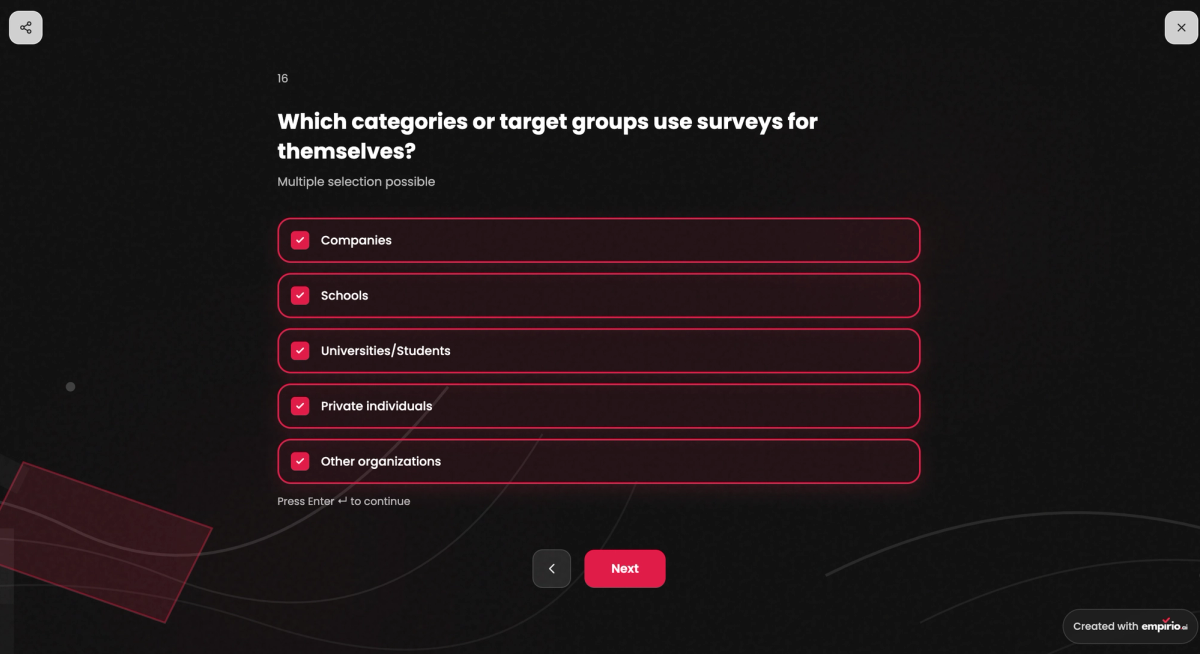
Five categories cover practically everything that shows up in everyday survey work:
- Businesses: customers, employees, market, product, events and leads
- K-12 schools: teachers, students, principals and parents
- Colleges and universities: course evaluations, thesis and dissertation research, faculty research projects
- Personal life: parties, scheduling and decisions among friends or family
- Other organizations: nonprofits, churches, city governments, clinics and hospitals
Below we take the five categories one at a time.
Businesses: surveying customers, employees and the market
In a business, the survey is the tool that moves a decision from gut feeling to real feedback, from opinion to data. The occasions run from a two-person design studio in Portland asking for feedback after a project to a corporation surveying its entire workforce every fall. A survey tool for businesses has to deliver three things above all: anonymity, data protection and clean analysis.
A business typically uses surveys for the following:
- Surveying customers: A customer survey asks about satisfaction after a purchase, rates a support interaction or digs into why someone canceled.
- Surveying employees: An employee survey captures morale, leadership and satisfaction, from onboarding to the exit interview.
- Researching the market: understanding the target audience, testing price acceptance, measuring brand awareness before money goes into a product or a campaign.
- Collecting product feedback: prioritizing features and checking ideas before anyone writes a line of code.
- Rating events: registration, session picks and feedback after the conference.
- Qualifying leads: letting prospects answer a few questions before sales picks up the phone.
K-12 schools: teachers, students, principals and parents
In a school, the survey is first of all a tool for the honest feedback that never gets said out loud in a classroom. It has to work without a login, look good on a phone and be done in five minutes. A survey tool for schools is designed for exactly that. One thing to keep in mind: in districts that receive federal funding, student surveys on sensitive topics fall under federal rules. We cover those in the education chapter further down.
A school typically uses surveys for the following:
- Evaluating a unit: Teachers collect student feedback at the end of a unit, anonymously and through a QR code on the whiteboard.
- Surveying parents: communication, after-school programs, the cafeteria or satisfaction with the preschool.
- Measuring school climate: well-being and belonging across all grade levels, as a basis for the school improvement plan.
- Checking knowledge: a quiz or knowledge test as a learning check, where every student gets a score.
- Voting: The class decides where the field trip goes or picks the theme for the eighth-grade dance.
Colleges and universities: evaluating courses, collecting data
On campus, two worlds meet: the administration with its course evaluations and campus-life surveys on one side, the students doing research of their own on the other. For both, the online survey is the standard tool, just with different demands on method and scale. Universities need a survey tool for higher education that handles hundreds of course sections at once, students above all a free survey tool for college.
On campus, surveys typically serve the following purposes:
- Evaluating courses: At the end of the semester, students rate structure, clarity and how reachable the instructor was during office hours.
- Collecting data for a thesis: A survey for a capstone, thesis or dissertation has to be methodologically clean and fully documented.
- Research projects: Departments survey large samples for studies, with quotas, skip logic and export to statistics software.
- Campus feedback: dining hall, library, registration, closer to a customer survey than to an evaluation.
Personal life: planning parties, finding a date that works, making decisions
In private life, surveys show up wherever a group has to agree on something and nobody wants a group chat with 200 unread messages. Cases like these appear in no statistic, yet they are probably the most common of all. Nobody needs an account for this, only a link.
Private users typically reach for a survey in these situations:
- Planning the holiday party or a birthday: vote on date, place and food, set up in two minutes.
- Picking a vacation spot with friends: so a result stands at the end and not the person who argued longest.
- Guest list and potluck sign-ups: who is coming, who brings the mac and cheese, who needs a ride.
- Family decisions: the week for the summer trip, the gift for grandma, the date for the family reunion.
Other organizations: nonprofits, churches, local government, health care
Between business and private life sits a wide field of organizations that survey people regularly without anyone calling it market research. What they share: the people answering are usually members or volunteers and expect to be treated with particular care.
Nonprofits and other organizations typically use surveys for the following:
- Nonprofits and clubs: asking members about practice times, the annual fundraiser or the new team jerseys, plus asking volunteers what keeps them motivated.
- Churches: service times, programs for families, feedback after the youth retreat.
- HOAs and city governments: resident input on a construction project, traffic calming or the new playground, often ahead of a town hall meeting.
- Clinics and hospitals: patient satisfaction after an appointment or a hospital stay, anonymous and easy to fill out on a phone.
More than 90 templates for every occasion
For every use case in these five groups, empirio.ai has a ready-made template. Pick the questionnaire that fits and start your survey right away, or let AI create a personalized questionnaire for you. Start for free
Below we show you the most important survey use cases in detail. Even within one category the forms differ: an employee survey can be an annual survey, an exit interview or 360-degree feedback, a customer survey an NPS survey or a support rating. The overview at the end of this article lists all use cases again in a table, with the matching tips and templates.
Employee surveys: measuring morale, leadership and satisfaction
An employee survey is the kind of survey with perhaps the most at stake. The people answering will sit across the table tomorrow from the people they just rated. Which is why success does not hinge on the number of questions but on whether the workforce believes the promise of anonymity and whether something visibly happens afterward.
Typical questions cover satisfaction with the work itself, with management, with teamwork and working conditions, plus workload and whether someone would recommend the company as a place to work. The United States has no works councils, so no formal sign-off stands between HR and the send button. Employment in most states is at will, which is one more reason people hesitate before writing down what they really think. The trust has to come from the survey itself. The federal government shows what that looks like at scale: according to the U.S. Office of Personnel Management, its Federal Employee Viewpoint Survey (FEVS) has run every year since 2010, goes out by email invitation, is answered online and is weighted so the results represent the federal workforce.
How the workforce can tell whether the anonymity is meant seriously:
What builds trust
- Being upfront that department, age and tenure are collected for statistics only.
- Reporting results only once a group reaches a minimum size, announced in advance (usually 4 or 5 people).
- A short note in the invitation email: purpose, timeline, what happens with the answers.
What destroys trust
- An invitation through a personal link with the employee’s name in the subject line.
- Asking for department, age and tenure without saying why.
- Not a word about what gets stored and what does not.
Types of employee surveys
Employee surveys come in different shapes depending on whether you want the big picture, one moment in the employee journey or feedback for a single person. Some run once a year, some every few weeks, others only at the start or the end of someone’s time with the company. Almost every company combines two or three of these types:
- Annual engagement survey: the whole workforce once a year, delivers the big picture but reacts slowly, since months pass between problem and result.
- Pulse survey: three to five questions every two to four weeks, always the same ones, so a trend line forms and you see between two big surveys whether morale is slipping, say after a reorg. Let the rhythm slide and you no longer have a pulse, just three random data points.
- Onboarding survey: after the first few weeks, while the outside view is still fresh.
- Exit interview: People who are leaving are often the most honest about why.
- Manager feedback and 360-degree feedback: feedback for one person from several directions, meaning team, peers and their own manager.
- Workload and well-being survey: questions on workload, control over your own work and support from coworkers.
Whichever type you pick, every employee survey needs one number for the whole picture, otherwise year-over-year comparison is impossible. In many programs that number is the Employee Net Promoter Score, or eNPS, the workplace twin of the Net Promoter Score from customer surveys. In small teams the figure is fragile: one new hire or departure moves it a lot and anonymity gets shaky fast.
A closer look: the eNPS
The eNPS asks exactly one question: how likely are you to recommend your company as a place to work, on a scale from 0 to 10? The score is the percentage of promoters (9 to 10) minus the percentage of detractors (0 to 6). Need a calculator? We have one. Enter your numbers and calculate your eNPS in seconds.
Want to know how your team is really doing? Then you can get started today: with empirio.ai you create the perfect employee survey, anonymous, from a template and with the analysis included.
Customer surveys: measuring satisfaction, loyalty and effort
A customer survey asks people who bought, used or booked something about their experience, as close as possible to the moment that experience happened. Ask three weeks after a support call and you get a memory of the call, not the call itself.
Unlike employees, customers are not a captive audience: anyone who is not in the mood closes the tab. So brevity, timing and channel decide the response rate, not how thorough the questionnaire is. American companies even have a national yardstick for the outcome they are chasing here: the American Customer Satisfaction Index (ACSI), based in Ann Arbor, Michigan, describes itself as the only national cross-industry measure of customer satisfaction for the U.S. economy and publishes scores by company and industry. Your own survey will never be that big. It only has to be consistent.
When a customer survey happens is almost as important as the question itself. Which is why the different types deserve a closer look.
Types of customer surveys
Customer surveys differ above all in when they are asked: right after a touchpoint, at fixed intervals or at the moment someone leaves. The closer the question sits to the experience, the more concrete the answer. Here are the main types, ordered by the moment they are asked:
- Post-purchase satisfaction survey: one to three questions right after the order or the delivery, usually scored as CSAT.
- Support rating: after a resolved ticket, often with the effort question of the CES.
- NPS survey: at fixed intervals to the whole customer base, for the big picture on loyalty.
- Annual customer survey: longer, for repeat customers, with questions on product, service and price.
- Cancellation survey: When someone leaves, ask why while the reasons are still fresh.
- Website and checkout feedback: right in the store or on the page, at the exact spot where things get stuck.
NPS, CSAT and CES: the three customer survey metrics
Three metrics have become standard for customer surveys and they deliberately measure three different things. The mistake many people make: they run the NPS and believe they have measured satisfaction. The NPS measures willingness to recommend. That can be high even when someone was unhappy with the last purchase.
| Metric | What it measures | Question and scale |
|---|---|---|
| NPS (Net Promoter Score) | loyalty, willingness to recommend | likelihood to recommend on 0 to 10, result from minus 100 to plus 100 |
| CSAT (Customer Satisfaction Score) | satisfaction with one specific interaction | satisfaction on a scale, usually 1 to 5, result as the percentage of satisfied customers |
| CES (Customer Effort Score) | effort the customer had to make | agreement with “The company made it easy for me,” usually 1 to 7 |
For everyday use that means:
How the three fit together
- CSAT right after a touchpoint, with a single question.
- CES after a process such as an order or a return.
- NPS at longer intervals to the whole customer base.
How they break
- All three metrics in every survey, so respondents check out after the second scale question.
- Changing the scale from wave to wave, which kills any comparison.
Tip
Need a calculator? We have one for each of the three metrics. Take the answers from your survey and, within seconds, calculate the NPS, calculate the CSAT or calculate the CES with our online calculators.
Want to know how satisfied your customers are? Then you can start right now: with empirio.ai you create the perfect customer survey, with an NPS question and ready-made templates for CSAT and CES.
Market research: understanding your audience, price and brand
Market research with a survey is about people who are not your customers yet. That is the whole difference from a customer survey: no mailing list, no existing relationship, no specific occasion. You have to go find the participants first. In return you hear from exactly the people you have not been reaching, often the most interesting ones.
The big advantage: you de-risk decisions before they get expensive. New product, price point or campaign, a survey with a few hundred participants tells you beforehand whether your assumption holds. The sample is what matters. Ask only your own Instagram followers and you learn what your followers think, which says very little about the market. When a survey truly speaks for a whole group is what our article on representative surveys explains.
Market research is not a single format. Behind the label sits a bundle of questions that all lead to the same decision: is this worth it? Whether the subject is a new product, a price or a campaign changes the questionnaire completely. Typical questions a market research survey answers:
- Target audience analysis: Who are the people who need this offer? How do we reach them?
- Price sensitivity: At what price does a product feel too cheap, at what price too expensive?
- Brand awareness: How many people know the brand unaided, how many only once they hear the name?
- Concept and product test: Which of three variants wins and why?
- Competitive comparison: Where does your offer stand against others in the eyes of the audience?
- Ad effectiveness: Does the message stick and does it trigger what it is supposed to?
For the price question, the Van Westendorp method has proven itself: instead of asking for a single ideal price, it asks for four price thresholds. empirio.ai offers it as a ready-made template, along with the target audience analysis and the ad effectiveness test, so you do not have to construct the questions yourself.
Want to understand your market before you invest? Then you can start right away: with empirio.ai you create the perfect market research survey, from audience analysis to price test.
Create a survey for free
With empirio.ai you can create a modern online survey in minutes — free to start.
- AI-built survey
- Adjust by drag & drop
- Real-time analysis
Product feedback: prioritizing features before development starts
With product feedback through a survey you ask the people who use your product: what is missing, what gets in the way, what do they never touch? That way scarce development time goes into the things that actually help the most people. Hardly any other use case leads so directly from answer to action, because what comes out is a list the team can work through.
The temptation is to simply ask which features users want. The result is a wish list where everything is important. Better to ask about specific situations: Where did you get stuck last? Which task takes longer than it should? What did you solve outside the product because it did not work inside? Answers like that translate into tasks. Wish lists do not.
The channel matters too. A survey that pops up right after an action inside the product gets answers about exactly that action. An email to all users delivers the general picture. Both have their place, just not in the same survey. And whoever asks for feedback has to expect criticism and be able to take it. Otherwise the question was never honest.
Tip
Have every feature rated twice: once for importance, once for satisfaction with how it works today. Features with high importance and low satisfaction are your priorities. Features with low importance you can leave alone with a clear conscience, however loud a few voices get.
Want to know which feature is next in line? Then ask your users directly: with empirio.ai you create the perfect product feedback survey, embedded in your website or shared through a link.
Event feedback: before, during and after the event
With event feedback, the window is shorter than for any other survey: the day after the event plenty of people still answer, a week later almost nobody does. Plan the survey only afterward and you give away exactly the hours when impressions are fresh and people are willing.
An event is not one occasion but three. Before the event, a short survey helps with planning. During the event, a quick read on the mood gives you a basis for adjusting. Afterward comes the real verdict: is there going to be a next time? Covering all three with one survey does not work: the questions and the moments are too different.
- Before the event. Ask about dates, topic wishes, travel and food, so the program fits the attendees and not the other way around.
- During the event. A QR code on the screen or at the booth, behind it three questions about the session that just ended. That way a workshop can be adjusted the same day. A survey with a QR code takes less than ten minutes to set up.
- After the event. Overall satisfaction, ratings for individual sessions, logistics and whether someone would come back or recommend the event. Send it the next morning, remind after three days, then stop.
At trade shows a fourth role comes in: the survey at the booth as a conversation starter and contact collector. That one belongs to lead qualification rather than feedback. Mixing the two waters down both.
Want to know how your event landed? Then you can prepare the survey today: with empirio.ai you create the perfect event feedback survey, with a QR code for the room and a send-out the next morning.
Lead qualification: surveys as a conversation opener for sales
Lead qualification with a survey means prospects answer a few questions about their situation before sales picks up the phone. That way the conversation starts with the right people and the right offer. Instead of a contact form with name and email, the relationship opens with a short dialogue.
The prospect gets a call that starts at their actual problem instead of a generic callback. Sales knows in advance whether this is a ten-person team or a company with offices in three states. So this is less about selling than about sorting: which inquiry needs a phone call, which one an email with three links and which one nothing at all?
Unlike the other use cases, a survey like this is never anonymous. Its entire purpose is to tie the answers to a person, which is exactly why it needs a clear notice about what happens with the information and consent for the follow-up contact. No single federal privacy law covers this, so the rules depend on where your prospects live. The best-known example is the California Consumer Privacy Act (CCPA), amended by the CPRA, which according to the California Attorney General applies to for-profit businesses above certain size thresholds and requires a notice at or before the point where personal information is collected (as of September 2026). How to set up a survey with contact details properly is covered in our article on data privacy in surveys.
And keep the questionnaire short, ideally under five questions, because every extra one costs completions. Anything you would clear up in the conversation anyway does not belong in the form before it.
Want to sort inquiries before sales calls? Then you can get started right away: with empirio.ai you create the perfect lead qualification survey, with 100 percent EU hosting.
Education and research: K-12, college and thesis
In education and research, surveys serve two purposes: improving teaching and collecting data for scientific questions. Both make different demands than a customer survey. In the classroom simplicity counts, in research the method does.
All three fields share one thing: the people answering are mostly young and answer on a phone. A questionnaire that looks fine on a laptop quickly becomes a chore on a phone in a classroom. Short questions, little text and a QR code instead of a typed-out link make the difference between a full response and half of one.
Surveys in K-12 schools: classroom feedback and parent surveys
In K-12 schools, teachers collect feedback from students at the end of a unit, principals survey parents about communication or after-school care and a class votes on where the field trip goes. Anonymity matters especially here. Otherwise students answer what the teacher wants to hear. One federal rule is worth knowing before the first student survey: the Protection of Pupil Rights Amendment (PPRA). According to the U.S. Department of Education’s student privacy office, it applies to districts that receive federal education funding and governs student surveys on eight protected areas, among them political or religious beliefs, mental health, sexual attitudes and family income. Surveys the Department funds on those topics need written parental consent. For other surveys on those topics, parents must be notified and given the chance to opt their child out (as of September 2026). Student records fall under FERPA. Collecting personal information online from children under 13 brings COPPA into play. Your district’s policy and your principal are the first stop, so a quick check before the first parent survey is time well spent.
Surveys in college: course evaluations and campus feedback
At colleges and universities, the end-of-semester course evaluation is the most common use case. Students rate structure, clarity and support. The results go back to the instructor. On top come surveys about the dining hall, the library and registration, which look more like customer surveys. Anyone who wants to improve a course independently of the official evaluation only needs a short survey of their own after the third week of class. Then there is still time to change something.
Surveys for a thesis, dissertation or research project
For a survey for a capstone, thesis or dissertation, the method is part of what gets graded. Good questions alone are not enough. The questions have to follow from the research question, the scales have to match the planned analysis and the sample has to be documented, from operationalization to recruiting participants. On a US campus one more stop comes first: your university’s Institutional Review Board (IRB). Under the federal Common Rule (45 CFR 46.104), research that only involves survey procedures can qualify as exempt, for example when nobody can readily identify the respondents from the recorded answers. The IRB makes that call, not you, so ask early. Whether you ask open-ended, exploratory questions or use fixed answer options depends on whether your study is qualitative or quantitative. That decision comes before the first question, not after.
Want to back up your teaching, your course or your thesis with real data? Then you can get started right away: with empirio.ai you create the perfect school survey, the perfect course evaluation or the perfect survey for your thesis.
Nonprofits, clubs and small teams: the underrated survey use cases
Nonprofits, clubs and small teams use surveys less often than would do them good. All of them believe they are too small for it. The opposite is true: the smaller the group, the harder honest criticism gets face to face and the more an anonymous survey brings.
A youth soccer club asks its members about practice times, the renovation of the clubhouse or the new jerseys. Before the annual meeting the board collects agenda items, afterward it asks whether the two hours were worth it. The PTA runs the same play before the fall festival, the HOA before it changes the pool hours. And volunteers get asked what keeps them going and what makes them think about quitting. No board member hears that answer in passing at the snack table. Participants do not need an account for any of this. Anyone who wants to try it out first can create a survey without signing up.
In a team without an HR department the small survey pays off too: a five-question retrospective after the project, topic wishes before the offsite, the question of what is still missing after the move to the new office. Say your team has eight people. Then eight anonymous answers are often more honest than a meeting with the boss at the table.
A survey is worth it whenever one person’s answer is not enough and the discussion in the group costs more than five minutes with a questionnaire.
Want to ask your club or your team quickly? Then you can have it done in five minutes: with empirio.ai you create the perfect survey, free and with no account needed for participants.
All survey use cases at a glance
Survey use cases all come down to one simple question: what do you want to do differently after the survey than before it? Anyone who can answer that finds the right use case in seconds. Anyone who cannot should postpone the survey until they can.
The table matches the most common goals to the use case that fits and the metric that comes out at the end. For each of these cases empirio.ai has a ready-made template, 90+ templates in 8 categories in total, all free to use.
Which survey use case fits your goal?
| If you want to know | Then the fit is | Metric or result |
|---|---|---|
| whether your team is satisfied and staying | employee survey, supplemented by pulse surveys | eNPS, satisfaction per topic block |
| whether customers come back and recommend you | customer survey at fixed intervals | NPS |
| how a single interaction went | short survey right after purchase or support | CSAT, CES |
| whether a product, a price or a brand holds up in the market | market research survey with a recruited sample | shares, price thresholds, awareness |
| which feature to develop next | product feedback from active users | importance versus satisfaction |
| whether an event gets a second run | event feedback the next morning | overall satisfaction, recommendation |
| which inquiries are worth a call | lead qualification with fewer than five questions | segment, need, urgency |
| whether a lesson or a course is landing | classroom feedback, course evaluation | rating per criterion, open comments |
| whether your hypothesis holds | survey for a thesis or research project | data ready for statistical analysis |
| when and where the office holiday party happens | poll or scheduling survey in a club, team or family | majority, shared date |
Each business use case has its own solution page: create an employee survey, create a pulse survey, create a customer survey, create a market research survey, collect product feedback, collect event feedback and qualify leads with surveys.
For education and research there is the survey tool for schools, the survey tool for higher education, the free survey tool for students and, for research departments, the solution for academic research surveys. Nonprofits, teams and private users need no solution page of their own, only a template and a link.
Done
If you found your goal in the table, you now know the right type of survey and the metric that goes with it. The ready-made template for every use case is waiting in the template library.
Common mistakes when using surveys
Most surveys do not fail because of a single question but because of a handful of mistakes that show up across every field, from the Little League board to the Fortune 500. What makes a survey better from the start, from question order to the reminder email, we have collected in our 8 tips for the perfect online survey. The biggest mistakes include:
- Spending too little time on the questionnaire. If questions and answer options do not fit together cleanly, the answers cannot be analyzed at the end and the whole survey was for nothing.
- One survey for everything at once. The annual survey also asks about the break room, the logo and the holiday party, because you have everyone’s attention anyway. The result is 60 questions, a falling response rate and answers that no longer fit any decision.
- The wrong metric for the goal. Anyone who wants to know how the support call went but asks the NPS question gets a number about loyalty and none about the call. The question has to come before the metric.
- The wrong moment. Three weeks after the event or the support call, impressions have faded. The closer the survey sits to the experience, the more honest and specific the answers.
- Results without consequences. If nothing visible happens after the first survey, the second one gets half the response rate. Whoever asks promises a reaction, at the very least a note on what became of the answers.
- Promising anonymity that does not exist. The invitation says “completely anonymous,” the questionnaire asks for department, age and tenure. In a team of twelve, every answer can be traced. Our guide on how to create an anonymous survey shows what real anonymity takes.
Conclusion
Surveys are not a tool for businesses but for any group in which a decision gets better when many people are asked instead of a few. Pick the use case and the decision behind it first, then the metric and only at the end the questions. Stick to that order and you rarely need more than ten questions and still get answers you can actually do something with!
Where to go next
- Have your use case and want to write the questions now? How to create a questionnaire: steps, structure, example
- Answers already in hand? How to evaluate a questionnaire in five steps
Know which survey you need now?
empirio.ai, an online survey tool from Germany, has a ready-made template for every use case in this article, from the employee survey to the parent survey. See all 90+ templates