

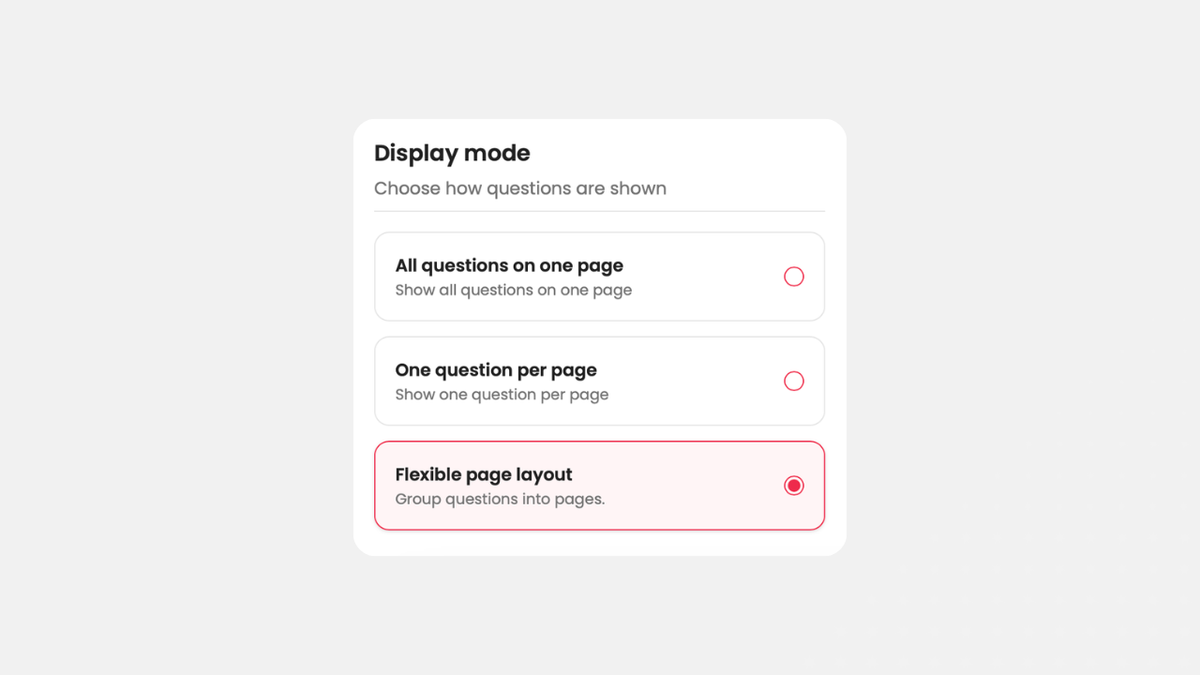
You asked for it, and now it's here: the editor has a third way to arrange your questions across pages.
Under "Design" you've always been able to pick colors, a logo and a template. That's also where you decided how your survey is laid out: either all questions on one page or each question on its own page. Both have their place. But a lot of you were missing the option in between, and that's exactly what you asked us for.
So starting today, you can choose a third option: multiple pages with several questions each. Group what belongs together, for example all questions about the respondent on the first page and all questions about the event on the second. That gives you full freedom in how you build your survey.
Create a survey for free
With empirio.ai you can create a modern online survey in minutes — free to start.
- AI-built survey
- Adjust by drag & drop
- Real-time analysis
How it works: setting up the new layout
It only takes a few seconds to set up.
- Open your survey. Open your survey in the editor.
- Go to Design. Switch to the "Design" tab in the left panel.
- Choose Flexible page layout. Under "Display mode", pick the third option, "Flexible page layout" ("Group questions into pages").
Back in the "Editor" tab, you'll see your questions grouped under "Page 1", "Page 2" and so on, and you decide which questions share a page. The two existing options, "All questions on one page" and "One question per page", are still available.
Want to know how to break your questions into sensible sections? Our guide on how to create a questionnaire walks you through it.
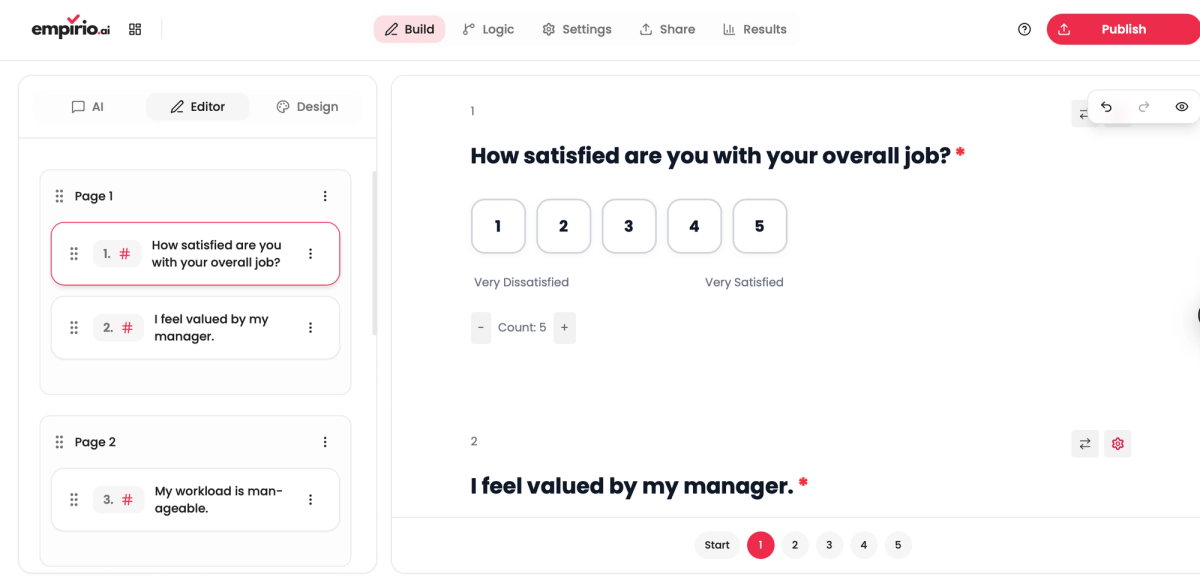
In this example, the first two questions share Page 1, and the third question follows on Page 2.
What the new option does for you
- Questions that belong together appear together on one page.
- Long surveys feel easier to follow because you can split them into sections.
- You decide how much goes on each page instead of choosing between two extremes.
- The new option is available in the editor right away.
Thanks for your feedback and for helping us make empirio.ai better, one step at a time. We take your requests seriously and keep building the software for you. So let us know what you're still missing or what you'd love to see in empirio.ai.
Best, Marvin
Co-Founder, empirio.ai